Search the Community
Showing results for tags 'character'.
-
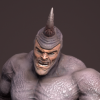
Inspired by the 1993 Mini-Series "The Tommyknockers" and the Stephen King book of the same name. 3D Coat was used for painting displacement and textures. Blender was used for everything else.
- 1 reply
-
- 3
-

-
- displacement
- texturing
- (and 2 more)
-
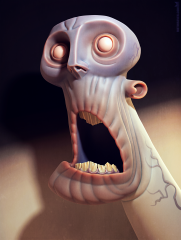
From the album: MetinSeven.nl works
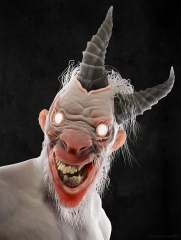
The light hurts. Concept: Max Grecke More work: https://metinseven.nl #zombie #undead #dead #death #darkness #light #3d #b3d #3dcoat #horror #character #design #characterdesign -
From the album: MetinSeven.nl works
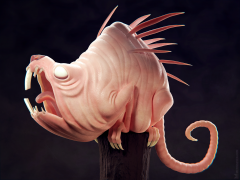
A cute cuddly critter for you to hug. Inspired by a Tooth Wu concept. More work: https://metinseven.nl #monster #rat #horror #creature #character #design #characterdesign #3d #3dcoat #b3d -
 My first 3D Coat 2021 exploration. Concept: Maxim Verehin. Portfolio: https://metinseven.nl
 -
From the album: 3dcoat sketches wips and final pieces
a character design for an idea -
From the album: 3dcoat sketches wips and final pieces
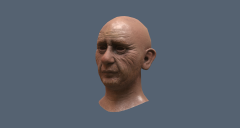
my first attempt at a semi realistic face. It was fun. -
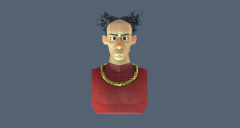
From the album: 3dcoat sketches wips and final pieces
a character design for a warrior vibe -

From the album: 3dcoat sketches wips and final pieces
a piece done for Sculpt Jan. 2018 -
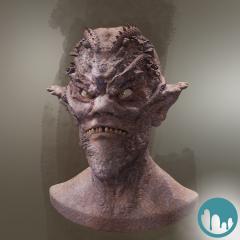
Hi 3DCoaters! I totally missed it to post this image here although a huge part of the creation process was done in 3DCoat! You can find a small making of at Blendernation: Behind the scenes: It came from below Hope you like it!
-
From the album: Chris work
-
-
From the album: Artworks
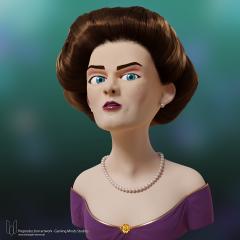
For my collegues of Gaming Minds Studios I have created a 3D character prototype while the preproduction of their last hit Railway Empire. In the preproduction of Railway Empire we experimented with several types of Charakter styles. The Western Lady were sculpted in 3D-Coat., the textures and retopology were also done there. I transferred the model into Blender and set a very simple face rig, based on shape keys. The hair was created with Blenders hair system. The final is rendered with Blender Cycles. There was an arm rig too, but we rejected it. Even if the char went not into the final game, I like the Lady a lot and like to present it to you today. I have made some improvements in the hair style and used my CW Eye Material for her eyes. Drop me a line if you have any questions. -
From the album: Artworks
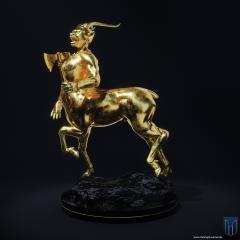
You maybe know my old fantasy character called Windrunner. I never really finished the figure, so it disappeared in my harddisk for a long period. In the last months I like to experiment with blender materials. So I took my old 3D-Coat sculpting and added some new materials to it, completely created in blender. The interesting about the materials is, they are completely procedural. No UVs are used. The only texture I used is the normal map for the weapon. But the Rusty Gold and the Cold Lava materials are completely procedural. The Figure and the Stones are from 3D-Coat. I added the teeth and the foundation in blender too. The weapon is from my free 3D-Coat tutorials on YouTube, you maybe already know. If you have any questions drop me a line. -
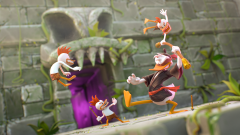
From the album: FanArt
Hi there! This is my last illustration project. It started in 2014 just with a clay render of the characters but I decided to rework the poses a little and then created a complete scene. It's based on the classic/cult game Cold Shadow, from the 90's. Hope you like it. Will upload more images soon. :)- 2 comments
-
- 1
-
-
- sculpt
- environment
- (and 6 more)
-
From the album: Characters
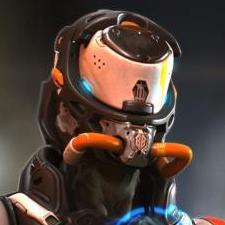
Hey, guys. Long time no see! I just want to share my latest project: The Black Squad Captain. I used Modo and 3D-Coat. I tried to paint the entire face and I'm satisfied with the final result. Hope you like it! :) Cheers, Dimitri -
From the album: Characters
Hey, guys. Long time no see! I just want to share my latest project: The Black Squad Captain. I used Modo and 3D-Coat. I tried to paint the entire face and I'm satisfied with the final result. Hope you like it! :) Cheers, Dimitri -
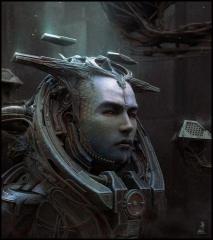
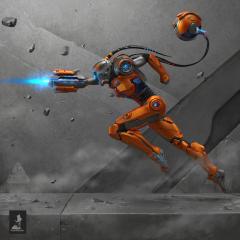 Concept for decoration of a gaming pub. Inspired by Metroid game.
 -

From the album: Wojtek Kapusta - finished works
Character concept done for Grey Skies game project. -

From the album: Sci Fi Concept
One of my first 3D Coat texturing test work with 3D coat 30 day trial ! -
Hello, im building a character in cinema 4d which i will be rigged in the same program. I recently bought 3Dcoat which i want to unwrap and sculpt the character, but the base shape will be build in cinema4D. Im not sure of what the best workflow would be. Is this a good way to work; Model "low poly" with subD in cinema4D and rig that. Then sculpt and export displacement map or normal map for the details? Thanks!
-

From the album: FanArt
This is a personal project inspired by the classic game Mega Man. The concept is by myself. Hope you like it! -
From the album: Artworks
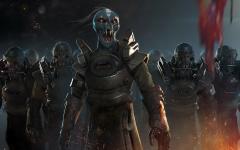
Nearly completely done in 3d-Coat & Photoshop including rendering. -

From the album: Monster Bash
This illustration is part of a bigger project called Monster Bash. Actually this is the first one: The Great Evil Witch from the Dark Forest. Hope to share more with you soon!- 4 comments
-
- 4
-
-
- character
- character design
- (and 5 more)
-
Hello All! For those of you already on Pluralsight/Digital Tutors or those of you who might want to be, I recently had a 4 1/2 hour course covering some techniques in Character Sculpting published. If you want, please take a look at the course overview below: 3d-coat-character-concept-sculpting-techniques One thing that is different about it is that it covers a way of taking the voxel/surface sculpt directly to Cura to 3D print. In my case it is a Lulzbot TAZ 5 3d printer, but the techniques could apply to other printers as well. Excelsior! Eric Kunzendorf
-
hello everyone, 4 months ago, i was asking you about more smart material for 3d coat for my Sci-fi exam in video and today i can show you my final work. All the texture has been made with the smart material in this topic (and the basic smart material of cours). This screenshot come for unreal egine 4.9. I should like to have your opinion on it (positif or negatif about texturing, props, lighthing, etc) English is not my mother tongue so, sorry for the mistakes And this is a like for my SF character https://skfb.ly/OHZO