



-
Market
-
Who's Online 1 Member, 0 Anonymous, 284 Guests (See full list)
- Carlosan
-
Topics
-
- 0 replies
- 16 views
-
- 0 replies
- 73 views
-
Turn Video into a 3D Model in 3DCoat with RealityScan!#3DCoat #RealityScan #Photogrammetry
By webmaster, in Announcements and new feature demos
- 0 replies
- 96 views
-
Helmet Sculpting & Retopology in 3DCoat#3DCoat #3DSculpting #Retopology #HelmetModeling #3DModeling
By webmaster, in Announcements and new feature demos
- 0 replies
- 74 views
-
Modeling with Curves in 3DCoat | Curve-Based Modeling#3DCoat #CurveModeling #3DModeling
By webmaster, in Announcements and new feature demos
- 0 replies
- 85 views
-
My (mostly positive) 3DCoat for Linux experience.
By Cuquio, in Linux Releases
- bugs
- performance
- (and 1 more)
- 1 reply
- 108 views
-
- 0 replies
- 186 views
-




-
Posts
-

-
-
-
By Carlosan · Posted
Battery/Power Station: Zendure SolarFlow 800 Plus Review Video - Funky Home. Keyboard: AQIRYS TALITHA Gaming Keyboard Review - MADSHRIMPS. Motherboard: LattePanda Mu Ultra Review - TechPowerUp. Mouse: Pulsar Feinmann F01 Noctua Edition Review - TechPowerUp. CPU/GPU/AIO/SSD Cooler: be quiet! Light Loop IO LCD 240mm White Review - APH Networks. Graphics Card: MSI GeForce RTX 5080 Vanguard SOC Launch Edition Review - Neoseeker. Graphics Card: NVIDIA GeForce RTX 5090 FE Review - Neoseeker. Headset/Earbuds: EDIFIER HECATE G5 MAX THX Spatial Audio Quad-Mode Gaming Headset - Nikk Tech. Headset/Earbuds: Razer Barracuda V2 Pro Multi-Platform Headset Review - MADSHRIMPS. Keyboard: Corsair VANGUARD AIR 99 WIRELESS Keyboard Review - TechPowerUp. SSD: SK hynix Platinum P51 2TB PCIe Gen 5 NVMe SSD Review - SK hynix Platinum P51 2TB PCIe Gen 5 NVMe SSD Review - Neoseeker. Laptop: HP HyperX Omen 15 review- 85 W GeForce RTX 5070 can feel underwhelming - Notebookcheck Review. Chair: Welax S9 Pro Review - Wide Adjustability, But At What Cost? - TechPowerUp. Motherboard: Gigabyte X870 Aorus Infinity Review - TechPowerUp. Mouse: Glorious Model O3 Wireless Mouse Review - MADSHRIMPS. PSU: be quiet! Dark Power Pro 14 IO 1600W Review - TechPowerUp. Case Fan: NZXT H6 RGB+ Review - TechPowerUp. Mini PC: VZMORE AX9 Max Mini PC Review (Ryzen AI 9 HX 470) - Guru3D. Printer: QIDI Q2 Combo 3D Printer - Nikk Tech. RAM: Team Group T-Force XTREEM DDR5-6400 32 GB CL32 Review - TechPowerUp. -

By erisan · Posted
Hi, this topic is related to this request, but is more general and gives feedback about StrokeTest and a couple of 3DC versions. I've emailed with the developer back in March about this, they indicated that this will be put in, but not sure where we are at, but hoping to give helpful feedback. My feature suggestion and feedback is as follows. Since March, I have now noticed that two and three-finger drags are not always one-to-one across Astropad Studio (AS) and the trackpad; they may do different things in Blender and 3DC, depending on if the drags are performed on trackpad or in AS. You can see some of the discrepancies below. Hence, it may be difficult if the developer relies solely on an apple trackpad. Astropad studio is capable of making gestures in combination with apple pencil, but here I have only tested gestures without the pencil. Current StrokeTest (64) build Sep 6 2026, Astropad Studio 5.5.3, macOS15.8.1, M1 Pro 1 finger tap works well in AS and trackpad 2-finger drag pans in AS and trackpad 2-finger pinch in/out Zoom in/out in AS and trackpad 2 finger rotation (twist motion) Barrel rolls the view in AS Does nothing on trackpad 3 finger drag Does not work via AS, perhaps because not explicitly implemented to respond to 3 finger drags. Works as 2 finger drag (pans), perhaps because not explicitly implemented to respond to 3 finger drags. 3DC 2026.24, AS Only these gestures work 1 finger tap works 3 finger drag rotates in AS does nothing on trackpad. 3DC 2025.17, AS Only these gestures work: 1 finger tap 2 finger drag zoom (both trackpad and AS). 3 finger drag zooms in trackpad, does nothing in AS For comparison, Blender 5.2 3 finger drag Pans in AS, but Rotates (like Blender middle mouse button) on trackpad 2 finger drag Rotates in AS and on trackpad 2 finger pinch in/out Zooms in and out on AS and trackpad 2 finger rotate does nothing Suggested implementation 1 finger tap working as needed. 2 finger drag should rotate with the current rotation mode, as selected in the top of the viewport (the turntable vs rotate around pickpoint toggle). 2 finger pinch in/out: zoom in/out 3 finger drag should pan I am inclined to say that 2 finger rotate as in stokeTest which results in barrel roll should not be implemented, as I do not find it very useful and I am concerned that it will accidentally misfire when I did not intend to. -
By animk · Posted
That solved the problem, I have never noticed that Virtual Mirror mode being "on" is the culprit. Thanks. -

By carrots · Posted
Windows, 2026-25 3DCoat-2026-25.exe 3DCoatTextura-2026-25.exe 3DCoatPrint-2026-25.exe 3DCoat 2026.25 HOTFIX Oct 16 2026 - Fixed an issue where selecting a node material preset would fail to apply to the active paint layer in Per-Pixel Painting mode. - Fixed stepping and banding artifacts on surface normals when painting depth in GPU Per-Pixel Painting mode by switching layer depth processing to full 32-bit floating-point precision. - Fixed an issue where layers placed inside a folder could only extrude surface depth outward and were unable to carve or indent inward. - Fixed an issue where enabling "Prevent double painting over stacked UV islands" caused brush strokes to appear broken or stamped instead of smooth and continuous. - Fixed an issue where sculpting on Live Boolean objects left visual gaps along the intersection until the objects were moved or toggled, ensuring boolean cutouts now update immediately after each brush stroke. - Fixed an issue in the Curves tool where rotating the whole curve caused points to twist in random directions instead of rotating evenly along the curve's path. - Fixed an issue with the "Points to Polygons" tool in the Retopo workspace where the cursor was misaligned with the surface and polygons failed to appear when hovering between placed points. - Fix PSD alpha import hangs and corrupted brush data - Improved FPS during Per Pixel Painting by optimizing spatial calculations, rendering state caching, and background UI updates. - Fixed an issue where the right-click menu would unnecessarily pop up and interrupt the workflow when setting the drawing plane with the 2D-Paint tool. 3DCoat 2026.24 HOTFIX Sep 23 2026 - Fixed an issue where the 'Invert X/Y' and 'Swap X/Y' options were being ignored when importing normal maps - Optimized VRAM consumption in Per-Pixel Painting by dynamically detecting solid-color areas and replacing heavy texture tiles with lightweight numerical values - Significantly improved viewport performance (FPS) and stability when importing and displaying reference meshes. 3DCoat 2026.23 HOTFIX Sep 23 2026 - Fixed an issue where adjusting layer transparency for a node material would incorrectly punch transparent holes in the underlying surface. - Resolved performance drops during GPU PPP layer blending, ensuring a smooth and instant response when adjusting layer opacity or visibility. - Decreased the camera's near clipping distance, allowing you to zoom in 10 times closer to your models without the surface disappearing. - The Fill Holes tool now processes data in the background with a live progress indicator, preventing UI freezes on heavy meshes. - The Smudge and Shift sculpting tools now seamlessly continue to stretch the mesh parallel to the screen even when you drag the cursor off the edges of the model. - Automatically detects and repairs tiny, microscopic gaps that can occasionally appear on the surface of your model during sculpting. - Fixed an issue where using the "Smudge" tool on voxels caused numerous random artifacts (block-like shapes) to appear within the brush radius. - Fix Node Editor RMB menu showing only "Clear" on macOS - Fixed an issue in the Default shader where painting gloss on a model would incorrectly cause the surface geometry to bulge or displace. - Fixed an issue where the left mouse button or pen was incorrectly registered as released while still being held down, causing unexpected interruptions in the Node Editor. - Fixed a crash that occurred when exporting too many layers to PSD due to insufficient memory, now safely aborting the process with a warning message to prevent file corruption. - Fixed a frequent crash that could occur when working with complex Node-based materials, or when frequently switching between heavily layered textures. - Fix stuck mouse input after macOS tablet pen use - Fixed crashes that occurred when applying symmetry to objects in the Retopo and UV workspaces. - Fixed random crashes during sculpting (especially with LiveClay or surface brushes) when working on areas where geometry was recently cut or heavily modified. -

By webmaster · Posted
Turn Video into a 3D Model in 3DCoat with RealityScan!#3DCoat #RealityScan #PhotogrammetryView the full article -
By Britain · Posted
When I installed the version for the nodes, it installed corrupted. I wasn’t getting good results and support thought everything was fine. I was really frustrated. I completely wiped out 3dcoat from my computer and installed again, it’s is now working properly. -
By animk · Posted
In 2026.01, the hotkey assigned to curve panel is working fine, but in 2026.05 and later versions (last time I checked was 2026.09), pressing any hotkey assigned to these curve buttons would bring it back to brushes. Not sure if its still happening in latest version. -
By Mihu83 · Posted
Try with VMM off and with regular symmetry( S key) on, that way you can still edit symmetrically. I've worked with VMM on for years, but it seems like turning this off and working with "normal" symmetry in Retopo room might be a better way, at least in newer builds. -
By animk · Posted
Yes, it's annoying. Workaround is to make sure there is no mesh at all on the other side. It gets annoying if I need to adjust the topology later after symmetry is applied, I need to manually delete half side of the mesh every time (if I want to keep symmetry on). -
By erisan · Posted
Correct, I only have preview in the UVW node, it should be in all nodes. -
By webmaster · Posted
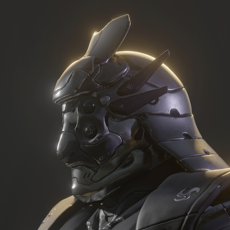
Helmet Sculpting & Retopology in 3DCoat#3DCoat #3DSculpting #Retopology #HelmetModeling #3DModelingView the full article -
By webmaster · Posted
Modeling with Curves in 3DCoat | Curve-Based Modeling#3DCoat #CurveModeling #3DModelingView the full article -

By lazyghoul · Posted
Also on Linux, Manjaro XFCE, no issues with scroll wheel. -

By Cuquio · Posted
Hi!, I've recently started using Linux as my main OS and been trying out 3DCoat. There are some issues i want to point out but I must say that, overall, it's being perfectly usable, at least for what I need from it. I'm on CachyOS btw. Performance: Performance-wise it actually works quite well. FPS count seem to be lower (~230 idle) than on windows or even using wine (~400 idle) but I've done some tests and both actually perform quite similarly under heavy load. Bug fixed on windows version present on linux: Bug discussed here was fixed in the current Windows version, but still present on Linux. Minor usability issues: 1. Tablet sensibility works great (I have an XPPen Artist Pro 12 with OpenTabletDriver), that's actually the whole reason I'm using the native version over a windows build with wine (some folk in this forum apparently got it working with lutris using wine-staging but that didn't do it for me). The problem is that, when using a tablet, the cursor start flickering when hovering over any element of the interface, but just when the cursor is not moving. 2. Mouse scroll wheel simply doesn't work. And that's all for now, thanks. -
By Carlosan · Posted
Thank you, it was already fixed on the next release -
-
By Mihu83 · Posted
I think it worked properly in v4 and some some versions of 202x, but it's hard to track the exact moment it started to behave like that. I should still have 4.9.72 on my machine, so I will try it out in some spare time.
-