





-
Market
-
Who's Online 1 Member, 0 Anonymous, 104 Guests (See full list)
- Carlosan
-
Topics
-
- 0 replies
- 52 views
-
Suggestions for upgrading and optimizing the new features regarding curves
By yangbin, in General 3DCoat
- 0 replies
- 65 views
-
It seems there is a bug with the Pose brush and Freeze brush
By yangbin, in New Releases, Bugs Reports & Development Discussion
- 1 reply
- 77 views
-
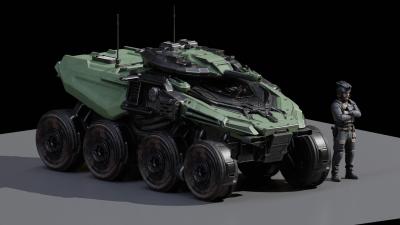
Sculpting a Sci-Fi Wheel | Voxel Sculpt Tools Demonstration #3dsculpting #workflow
By webmaster, in Announcements and new feature demos
- 0 replies
- 83 views
-
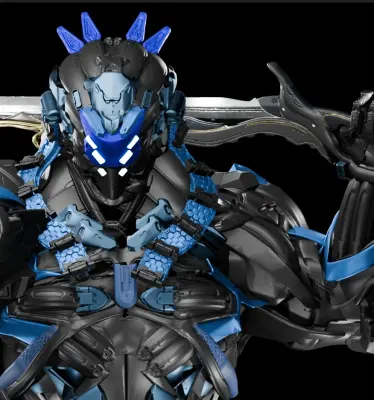
Sci-Fi Robot Creation Timelapse | Voxel Sculpting Workflow in 3DCoat
By webmaster, in Announcements and new feature demos
- 0 replies
- 74 views
-
DEVELOPMENT REQUEST: SPLINE CURVE-BASED RELIEF BENDING AND SHAPING WITHIN IMPORT DATA
By CoordinatTasarım, in Feature requests
- 0 replies
- 107 views
-
- 0 replies
- 11 views
-






-
Posts
-

By tapanojum · Posted
Node Editor appears to be completely broken. Not sure if I'm doing something wrong but after spending 20 minutes, I was unable to see a single node menu, the only option visible is "X Clear" The Ctrl + Z undo issue seems to be deeper than just a keymap problem. Making changes to the nodes and using my remapped Undo, doesn't do anything. Going to Edit -> Undo doesn't do anything. Using some other tools throughout different rooms and doing Edit -> Undo doesn't do anything. I can't confirm if it's a bug or intended to be this way, because I don't have access to any other Linux build for download so I can't go back and check on an older version. -

By gbball · Posted
Hey, it's almost there! I tested and there are still a few errors in the exports. It loads in the babylon js sandbox, but not in the threejs app I've created. Here are the errors I'm seeing according the Babylonjs inspector. { "uri": "Pattern.glb", "mimeType": "model/gltf-binary", "validatorVersion": "2.0.0-dev.3.10", "validatedAt": "2026-08-15T18:26:28.032Z", "issues": { "numErrors": 8, "numWarnings": 0, "numInfos": 1, "numHints": 5, "messages": [ { "code": "ACCESSOR_NORMALIZED_INVALID", "message": "Only (u)byte and (u)short accessors can be normalized.", "severity": 0, "pointer": "/accessors/0/normalized" }, { "code": "ACCESSOR_NORMALIZED_INVALID", "message": "Only (u)byte and (u)short accessors can be normalized.", "severity": 0, "pointer": "/accessors/1/normalized" }, { "code": "ACCESSOR_NORMALIZED_INVALID", "message": "Only (u)byte and (u)short accessors can be normalized.", "severity": 0, "pointer": "/accessors/2/normalized" }, { "code": "ACCESSOR_NORMALIZED_INVALID", "message": "Only (u)byte and (u)short accessors can be normalized.", "severity": 0, "pointer": "/accessors/3/normalized" }, { "code": "NODE_MATRIX_DEFAULT", "message": "Do not specify default transform matrix.", "severity": 2, "pointer": "/nodes/0/matrix" }, { "code": "BUFFER_VIEW_TARGET_MISSING", "message": "bufferView.target should be set for vertex or index data.", "severity": 3, "pointer": "/meshes/0/primitives/0/attributes/POSITION" }, { "code": "MESH_PRIMITIVE_ATTRIBUTES_ACCESSOR_INVALID_FORMAT", "message": "Invalid accessor format '{VEC3, FLOAT normalized}' for this attribute semantic. Must be one of ('{VEC3, FLOAT}').", "severity": 0, "pointer": "/meshes/0/primitives/0/attributes/POSITION" }, { "code": "BUFFER_VIEW_TARGET_MISSING", "message": "bufferView.target should be set for vertex or index data.", "severity": 3, "pointer": "/meshes/0/primitives/0/attributes/NORMAL" }, { "code": "MESH_PRIMITIVE_ATTRIBUTES_ACCESSOR_INVALID_FORMAT", "message": "Invalid accessor format '{VEC3, FLOAT normalized}' for this attribute semantic. Must be one of ('{VEC3, FLOAT}').", "severity": 0, "pointer": "/meshes/0/primitives/0/attributes/NORMAL" }, { "code": "BUFFER_VIEW_TARGET_MISSING", "message": "bufferView.target should be set for vertex or index data.", "severity": 3, "pointer": "/meshes/0/primitives/0/attributes/TANGENT" }, { "code": "MESH_PRIMITIVE_ATTRIBUTES_ACCESSOR_INVALID_FORMAT", "message": "Invalid accessor format '{VEC4, FLOAT normalized}' for this attribute semantic. Must be one of ('{VEC4, FLOAT}').", "severity": 0, "pointer": "/meshes/0/primitives/0/attributes/TANGENT" }, { "code": "BUFFER_VIEW_TARGET_MISSING", "message": "bufferView.target should be set for vertex or index data.", "severity": 3, "pointer": "/meshes/0/primitives/0/attributes/TEXCOORD_0" }, { "code": "MESH_PRIMITIVE_ATTRIBUTES_ACCESSOR_INVALID_FORMAT", "message": "Invalid accessor format '{VEC2, FLOAT normalized}' for this attribute semantic. Must be one of ('{VEC2, FLOAT}', '{VEC2, UNSIGNED_BYTE normalized}', '{VEC2, UNSIGNED_SHORT normalized}').", "severity": 0, "pointer": "/meshes/0/primitives/0/attributes/TEXCOORD_0" }, { "code": "BUFFER_VIEW_TARGET_MISSING", "message": "bufferView.target should be set for vertex or index data.", "severity": 3, "pointer": "/meshes/0/primitives/0/indices" } ], "truncated": false }, You can find the validator in the sandbox.babylonjs.com inspector here. -
By Britain · Posted
Node editor window. It would be nice if this window would scroll. That is if you have a node near the panels bound box and you drag a socket out to connect and that connection socket and when that connection socket falls out of the panel you need to stop resize the window move nodes so you can connect. If the window scrolled with the mouse you can get to the connection point of the socket as those nodes scrolled into view. -
By tapanojum · Posted
I upgraded from 2024, where I complained that there wasn't a single linux build available for the entire 1 year maintenance period of my license. 2025.01 was available a week or 2 after my license expired. Now I upgrade to 2026 and somehow have access to only a single build On the positive side, I just discovered that pen pressure works with Wine 1.15. Edit: The performance issue has nothing to do with the flatpak. KDE Plasma has a bug where power management doesn't revert from power saver to performance after idle. Although I'm not sure why it was still working well on the windows version in Lutris. Either way, 2026.11 flatpak is working blazing fast now too. Bug: CTRL+Z doesn't undo, but CTRL+Y does redo. CTRL+Z is listed as the hotkey for undo in the hotkeys manager. I can set the hotkey to something else like CTRL+X and undo works. I can't set it back to CTRL+Z. Bug 2: Mouse scroll wheel doesn't work. Clicking the wheel works fine, but scroll wheel doesn't register at all. This is a simple driverless Zowie 5 button mouse. I have a knob on my keyboard that's mapped to Mouse Wheel, also not detected. Could be my own issue. Anyone else experience this? -

By Virtuarkeo · Posted
This is curious, I have access to older versions, back to 2025.01, in my account. -

By Carlosan · Posted
source... Autodesk is discontinuing Mudbox, its digital sculpting software, previously used in concept art, game development, visual effects and motion graphics. Sales and renewals of three-year subscriptions ended on 7 August 2026, with sales and renewals of monthly and annual subscriptions due to follow on 7 November 2026. The change will bring to an end the 20-year history of a tool that was, in its heyday, used by international VFX studios like Wētā FX, and won its creators technical Oscars. -
By Carlosan · Posted
This bug was reported here https://3dcoat.com/mantis/view.php?id=2656 Thanks for point it up -
By tapanojum · Posted
I can't even find a way to download older versions. Is there an archive somewhere? Upgrading to 2026 removed the download links for all the older versions from my account so I have access to exactly one Linux build. Update manager doesn't do anything when you click on it. Update manager on the windows version in WINE opens a browser page and I can see that all the older versions still exist on a server somewhere. -
By Virtuarkeo · Posted
Well, I'm still running 2025.17... 2026.01 flatpak doesn't recognize my 3D Mouse, and 2026.11 won't even install, requiring a dependency already present on my system. I'm fed up and will certainly end up using windows package through Lutris too, especially if it works better. -
.thumb.jpg.5796db0718571ccafc4bbdfd72aa2452.jpg)
By yangbin · Posted
I feel that the new curve brush feature in Nomad could already be achieved in 3DCoat, it just needs optimized and upgraded curve-related functions. However, I still suggest fixing the bugs. The current software experience is quite poor. bandicam 2026-08-15 11-53-35-635.mp4 -
By yangbin · Posted
It seems there is a bug. Please check the Pose brush and Freeze brush. I am using the latest 2026.18 version. bandicam 2026-08-15 10-01-45-793.mp4 -

By DiJa · Posted
This problem is also present in 3DCoat 2026, not only 3DCoat Textura 2026 -
By Carlosan · Posted
Can limit on Preferences > Viewport > Vertical Synchronization what are your pc specs ? -

By chr1 · Posted
Thanks Carlosan for the suggestions. I tried all steps that you recommended, however the crashes continued. I think the crashes may have been related to GPU overheating. I experienced similar crashes a couple of times with Solidworks, but they stopped completely when i disabled advanced graphics. Unfortunately cleaning out the interior of my computer to prevent overheating did not prevent future 3dCoat crashes, and one of these crashes resulted in the need to reinstall Windows (a big hassle). Now I am afraid to reinstall 3dCoat on this machine, and I am wondering if someone can recommend settings that I can make within 3dCoat to reduce strain on the GPU. Thank you. -
By tapanojum · Posted
How is everyone's performance with the flatpak? I tested the 2026.01 beta a couple of months ago and it seemed to perform well except for the expected stability issues. Got excited and upgraded my license. 2026.11 feels so sluggish. Thought that maybe I was just misremembering my experience with the beta. Installed 2026.17 Windows version in Lutris and it's blazing fast. Getting 60-240fps on the Windows version and 5-24 fps in the flatpak. Fedora 44 KDE Plasma Nvidia 5090 Intel 13700kf 128gb ram Anyone else have performance issues with flatpak or is it just something on my end? -
By Mihu83 · Posted
Well, it usually works quite well, but sometimes it will mess up things and I don't know why - edits I make on sculpt mesh are pretty minor and gradual. My sculpt meshes have pretty hefty amount of polygons, something from 1,8 mill and up. Also, I might post some suggestion for developement - I think it would be really usefull to have some sort of multi res slider/switch inside retopo/modeling room, to easily switch between different retopo mesh subdiv levels, instead of keeping multiple versions of the same mesh. That would be great not only for editing meshes in 3DC, but also for smoother back and forth work between 3DC and Zbrush. -

By SreckoM · Posted
Nope, Windows version is still more frequent. It is easy to automate flatpak building, it is possible to have even daily builds. I guess SERGII has lot on his plate. -

By retutca · Posted
The node editor works on my old computer (GPU: RTX 2070 Super)!!!! So either I installed it incorrectly or the configuration is the problem – I’ll look into it... Thanks for your help. -

By AbnRanger · Posted
Conform Retopo has always seemed to work pretty well for me, but that may be because the Sculpt Object had a fair amount of resolution. https://app.screencast.com/uWFSm96vqQAKD -
By tapanojum · Posted
Now that flatpack is the official and only release format for Linux 2026 version, has the Linux build/release cycle improved in any meaningful way where we can expect to see a higher release frequency?
-