





-
Market
-
Who's Online 1 Member, 0 Anonymous, 12 Guests (See full list)
- Gorbatovsky
-
Topics
-
Meet the Alpha Version of CADQuader — our brand-new tool for converting STEP files into quad meshes.
By webmaster, in Announcements and new feature demos
- 0 replies
- 9 views
-
Part 1: Sculpting a Lion Statue in 3DCoat — Part 1 #3dcoat #sculpting #3dsculpting #digitalart
By webmaster, in Announcements and new feature demos
- 0 replies
- 37 views
-
Part 2: Sculpting a Lion Statue in 3DCoat — Part 2 #3dcoat #sculpting #3dsculpting #digitalart
By webmaster, in Announcements and new feature demos
- 0 replies
- 30 views
-
Creating a Futuristic Minibus in 3DCoat#3dcoat #3dmodeling #scifi #vehiclemodeling #3dsculpting
By webmaster, in Announcements and new feature demos
- 0 replies
- 42 views
-
Left click method of realigning vertices to the reference mesh
By Jakejazz, in Retopology, UVs & Baking
- 0 replies
- 47 views
-
- 0 replies
- 88 views
-
Creating a Sci-Fi Hand in 3DCoat #3dcoat #scifi #3dsculpting #3dmodeling #3dart
By webmaster, in Announcements and new feature demos
- 0 replies
- 49 views
-




-
Posts
-

By Gorbatovsky · Posted
There is an issue with importing in the program CADQuader. I imported your file into the Plasticity software. Then, I exported it from there as a STEP file. Following this, all the surfaces are now perceived in CADQuader as a single entity—a "surfaces Set." -
By Britain · Posted
Each of the surfaces are connected together and create on body. The edges in the CADQuader are treating the edges as being separate not together. I can separate all the surfaces into separate bodies, import into the CADQuader and I get the same quad results as when they are connected into one body. That is each of the 5 surfaces (3 Body) are treated separately. For me it would seem if you have one body with multiple surfaces, those surfaces would be 1 surface. EDIT: For hard surface object this wouldn't be in issue but for surface such as car hoods and panels it will be. -
By Gorbatovsky · Posted
A mesh is generated for each surface independently of the other surfaces. For the solid body, the edges are joined together. -
 Meet the Alpha Version of CADQuader — our brand-new tool for converting STEP files into quad meshes.
By webmaster · Posted
Meet the Alpha Version of CADQuader — our brand-new tool for converting STEP files into quad meshes.View the full article -
By Gorbatovsky · Posted
This is by design. Menus are not displayed in full-screen mode. I just discovered that the command search feature Ctrl+F does not work in full-screen mode. -
By Britain · Posted
If I use 3 bodies and connect them with a blend the quads break. The quads on both the 2 body and 3 body follow the edge connections. Is there a way to stop following the edge connection on the inside so that a better quad might happen? Its almost as if the edge connections are treated as a sharp edge. -
By Britain · Posted
Using surface tools. If I use 2 Bodies and then connect them using a blend I get descent quads. -
By webmaster · Posted
Part 1: Sculpting a Lion Statue in 3DCoat — Part 1 #3dcoat #sculpting #3dsculpting #digitalartView the full article -
By webmaster · Posted
Part 2: Sculpting a Lion Statue in 3DCoat — Part 2 #3dcoat #sculpting #3dsculpting #digitalartView the full article -

By Alexander Lamar · Posted
Thank you! I had to use the trial as I only have a 2024 license, but I was able to verify that the crash is fixed in the latest 3DCoatTextura. Appreciate it. I am noticing one issue now where the projection is positioned up and to the left in the external editor -- I'm attaching an image of the 3DCoat viewport of an object, and then the resulting projection in Photoshop. I would expect the projection to match the 3DCoat viewport (which is how it worked I believe in previous version) -- not the worst bug, but it results in some cropping and can make editing a little difficult. -

By SERGYI · Posted
I have reproduced the crash when opening the external editor on macOS 27. The issue was obsolete code that didn't work on macOS 27. I have replaced that code with a modern alternative. Then I rebuilt and re-uploaded 3DCoat 2026.26 for macOS: https://pilgway.com/~sergyi/links-macOS.html Edit > Sync Layer w/ Ext. Editor and Edit Projections in Ext. Editor are working now on macOS 27. Please note that Smart/Node Materials are not working in this build because of ongoing global changes in 3DCoat source code. -

By Ctc_nick · Posted
You can try this: 1. Set your clusters. 2. Click Set Seams. 3. Click "Intersections" --->This makes the seams recognized by Unwrap 4. Unwrap. I tested a Cube with six faces: perfect, Cylinder total chaos -It had worked better when there were already some basic seams, Capsule okay. I assume the tool does not like triangles for calculation very much. -
By Britain · Posted
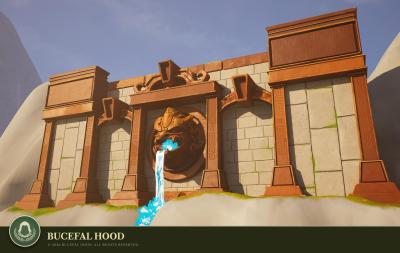
Interesting. Parametric modeling dosen't care about normals. Attached picture shows Planes with boundary connections. The boundaries normals are correct but the planes are not. When they are stitched together to start solid process every normal is flipped negative. Running the CadQuader it doesn't care but the normals when exported .obj file will have the normals that the step file normals are. Perhaps there should be a check to show the normals and a process to correct them before export to obj? Hood.step -
-

-
By webmaster · Posted
Creating a Futuristic Minibus in 3DCoat#3dcoat #3dmodeling #scifi #vehiclemodeling #3dsculptingView the full article -

By Jakejazz · Posted
Hello. I have not used 3D coat for a few months and am missing a left mouse click trick to realign vertices to the reference mesh. I recall that I could bring the topology back up to the surface of the reference mesh with a left mouse click when autosnap is on and whilst using the brush tool. I remember this being really useful when the retopology starts to get more intricate. However I have yet to get this working. Am I missing something? Many thanks! -

By milhouzz · Posted
Hi, been using 3d coat for a while especially the 2d paint tool I m used to use the different modes in type of surface combined with plane orientation. Since 2025 (im using in the video), you can see its not working anymore when i use "pick before painting" or "during painting "with any orientation (forward direction and normal direction). Before i could see the drawing plane following the surface and aligning nicely. Same problem with any tools if I go "on plane" option let me know if the description with the video is clear, but would be great to have this fixed, i tried on 2026 and same problem thank you guys!!! 2026-11-11 16-19-02.mp4 -
By Alexander Lamar · Posted
I tested this again today on the latest macOS (27.2.1) and 3DCoat (2026.26), but am still running into the same crash. It looks like the same stack trace I attached in the original post, and seems to be a crash in Launch Services. Is this reproducible by anyone else? Last Exception Backtrace: 0 CoreFoundation 0x7ff81786b80a __exceptionPreprocess + 225 1 libobjc.A.dylib 0x7ff8131fb44c objc_exception_throw + 62 2 Foundation 0x7ff813a1fd1e -[NSAssertionHandler handleFailureInMethod:object:file:lineNumber:description:] + 362 3 LaunchServices 0x7ff818cbd960 -[_LSAEKeyDesc initWithAEKeyDesc:] + 259 4 LaunchServices 0x7ff818da0be7 __LSOpenItemsWithRole_block_invoke + 122 5 LaunchServices 0x7ff818cb27aa __FSShimFSRefs_block_invoke + 17 6 LaunchServices 0x7ff818cb2614 +[FSNode shimFSRefs:count:reason:error:block:] + 572 7 LaunchServices 0x7ff818cb2732 FSShimFSRefs + 140 8 LaunchServices 0x7ff818da09cc LSOpenItemsWithRole + 124 9 3DCoat 0x101f8acd6 comms::cIO::Exec(char const*, char const*, bool, bool) + 698 10 3DCoat 0x102aa765c ExecuteCommand(char const*, char const*, char const*) + 80 11 3DCoat 0x102887b17 BaseConnector::AddConnector(unsigned int, BaseConnector*, char const*) + 645 12 3DCoat 0x1017185ff CopyPaste::SyncAllLayersZ(float) + 1279 13 3DCoat 0x101011c26 PenInterface::DoComm(BasicTool*, long) + 18 14 3DCoat 0x101f9ec40 ui_menu_simple::execute() + 68 15 3DCoat 0x101bbea58 BaseWidget::CallCallbacks(unsigned int) + 730 16 3DCoat 0x101bc3af6 Widgets::ProcessWindowsMessages(tagMSG&) + 932 17 3DCoat 0x101be5539 IntfWidget1::OnButtonDown(int) + 167 18 3DCoat 0x10189630e comms::cWidgets::HandleInputEvents() + 1322 19 3DCoat 0x10260b1e8 comms::cMain_OnRender(comms::cRect const&) + 123 20 3DCoat 0x10189f25e cMacMain_OneIterationOfMessageLoop() + 2312 21 3DCoat 0x1018a62be main + 22929 22 dyld 0x20523e0f5 start + 3253 -

By Sal_GC · Posted
Also, being this is the GPUPPP board, I would like to make some suggestions regarding the node room. I have enjoyed looking into it and creating some materials, masks and modifiers. In my time there I have found these would be useful: 1. Have a gradient node that can pickup colors form an image. Drawing a line on an image can sample the colors below and can produce a gradient from that, for coloring materials it would really be useful. 2. Have the delete key delete nodes in the node window. Using the right click menu can become slower when more nodes are involved. 3. Control over elements generated from certain nodes; like puting a gradient on generated cells form voronoi or tiles, adding random grays to elements, more granular control as a whole. I'll keep on working with the nodes and provide some feedback, hoping it is useful for others as well. Keep up the good work! 💪
-