English
  Українська
 Español
 Deutsch
 Français
 日本語
日本語 Русский
 한국어
한국어 Polski
 中文 (中国)
 Português
 Italiano
 Suomi
Suomi Svenska
 中文 (台灣)
 Dansk
Dansk Slovenčina
 Türkçe
 Nederlands
 Magyar
 ไทย
ไทย हिन्दी
 Ελληνικά
 Tiếng Việt
 Lietuviškai
 Latviešu valoda
 Eesti
Eesti Čeština
 Română
 Norsk Bokmål
Many organic and man-made objects are constructed to be symmetrical across one or more axes.
3DCoat lets you create and arrange items with this kind of symmetry.
Symmetry is used for drawing, sculpting, or retopologiz…
Many organic and man-made objects are constructed to be symmetrical across one or more axes.
3DCoat lets you create and arrange items with this kind of symmetry.
Symmetry is used for drawing, sculpting, or retopologiz…
The Curves menu can be used in all workspace, making it a powerful and very versatile tool.
Open E-panel to enable spline lasso mode or access from Curves Menu.
Use the items in this Menu to adjust how your model appears in the Viewport: Flat Shade, Wireframe, etc.
This Panel opens up a detailed dialog of settings that allow you to customize 3DCoat.
We’ll give you a general overview of the categories and choices available.
 Continue Reading
 When you first launch 3Dcoat, you are presented with an opening dialog that attempts to categorize and anticipate what you would like to do with the program (if it is closed, use Shift+M to open it again).
Smart Materials allow you to paint with physically accurate materials (PBR), as well as create them.
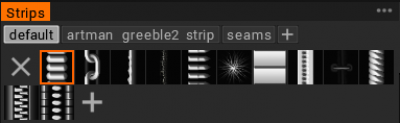
Masks are essentially stencils. Stencils are used to specify an area for sculpting or texture painting with Brush depth and transparency.
Stencils use greyscale images to determine what is masked and what is not.
Pure …
 Continue Reading