
Jump to content
3DCoat Forums

Search the Community

Showing results for tags 'bake /w normal map'.

  • Search By Tags

    Type tags separated by commas.
  • Search By Author

Content Type


Forums

  • Development
    • Announcements and new feature demos
    • New Releases, Bugs Reports & Development Discussion
    • Linux Releases
    • 3DCoat AppLinks
    • Coding scripts & addons
    • Feature requests
    • SOS! If you need urgent help for 3DCoat
  • General
    • General 3DCoat
    • Basics & Interface
    • Questions & Answers
    • 3D Printing
    • CG & Hardware Discussion
  • Tutorials, Tips and Tricks
    • Beginners tutorials
    • Modeling
    • Sculpting
    • Retopology, UVs & Baking
    • Materials and Textures
    • Painting
    • Photogrammetry & Scan
    • General 3D and CG
  • Artwork
    • Finished Projects
    • Challenge
  • 3DC's Topics
  • 3DC's Tips
  • 3DC's Topics
  • 3DC's Paint
  • 3DC's Hipoly
  • 3DC's Lowpoly

Find results in...

Find results that contain...


Date Created

  • Start

    End


Last Updated

  • Start

    End


Filter by number of...

Found 1 result

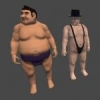
  1. Hi there, I couldn't find topic what about same problem, so let me ask about this. I sculpted business man model. and tried bake to low poly mesh on retopo room. but result has grey spots like this. I thought these grey spots means not enough segment or vertex on these place. so I subdivide some meshes or move vertex to on grey spots, but couldn't remove them. why these grey spot happen? ** SORRY ABOUT MY MESSY ENGLISH ** bisc, sculpted mesh: lowpoly mesh:
×
×
  • Create New...