
Forums
-
Development
-

- 843
- posts
-

- 3D LATTICE VOXEL STRUCTURES FOR ANY 3D MODEL - TUTORIAL.
- By webmaster,
-

- 50.2k
- posts
-

- 3DCoat Textura 2026 only install has missing top menu
- By IronHarborGames,
-
- 3.5k
- posts
-

- LKS 3DC Tools cExtension Edition
- By Carlosan,
-

- 610
- posts
-
- NCCA Graphics Library (NGL)
- By Carlosan,
-
-
General
-

- 71.6k
- posts
-

- Textures Export Problem
- By Kseniia,
-
- 13.6k
- posts
-
- Carbon Game Engine Open Sourced
- By Carlosan,
-
-
Tutorials, Tips and Tricks
-
- 961
- posts
-
- Mask Carving Using 3DCoat
- By Carlosan,
-
- 405
- posts
-
- 699
- posts
-
- Splitter Tool
- By Carlosan,
-
- 262
- posts
-

- Retopo - How do you select cluster of different coloured regions?
- By DustyShinigami,
-
- 318
- posts
-
- Texturing with nodes
- By Carlosan,
-
- 550
- posts
-
- Hand Painting Swords | Mila
- By Carlosan,
-
- 56
- posts
-
- 163
- posts
-
- Concept Art Timelapse | Dao Vi
- By Carlosan,
-
-
Artwork
-
- 17.3k
- posts
-
- Sky Patrol Flying Car
- By kenmo,
-
- 3k
- posts
-
- 2026 REALLUSION 3D CHARACTER CONTEST
- By Carlosan,
-

-
Market
-
Who's Online 5 Members, 0 Anonymous, 179 Guests (See full list)
- Carlosan
- PTND Studio
- IronHarborGames
- Kseniia
- tomli
-
Topics
-
- 0 replies
- 24 views
-
- 0 replies
- 36 views
-
BUG Report - 2D paint "Plane defined before paint" bug since 2025.12
By Norris Lin, in New Releases, Bugs Reports & Development Discussion
- 0 replies
- 55 views
-
- 1 reply
- 74 views
-
- 4 replies
- 98 views
-
Layers panel context menu and layer as mask sub-menu duplicates
By bewilder, in New Releases, Bugs Reports & Development Discussion
- 3 replies
- 96 views
-
- 3 replies
- 121 views
-


-
Posts
-
By IronHarborGames · Posted
I wouldn't call this solved. I've done multiple clean installs and my top menu is still missing, I've tried all the solutions I could find connected to this thread and nothing worked. I've had to go back to 2025.17 to get it working again. -
By Kseniia · Posted
Hi! 3DCoatTextura 2026 exports Color/Albedo maps with a white background instead of transparency/padding how it was in 2025 version. I'll attach the screenshots of how it used to be and how this looks now. I tried all formats like png, jpg, but it has the same white color. The psd version is better, but it breaks the clipping mask (with which I also had problems and have written already about). Just in case, the padding in Preferences is enabled, but it has no effect on the exported texture. Could you help me please? -
By Carlosan · Posted
Make clipping mask (filled w/ Smaterial or w/Smaterial attached) - This option it is not working - Neither this - Result -
By Carlosan · Posted
This bug was solved on the new release. thanks for point it up -
By Carlosan · Posted
This bug was solved on the new release. thanks for point it up -
By Carlosan · Posted
Report: @TheHighFlys still no fix for pose smooth function. -
By Dmitriy Nos · Posted
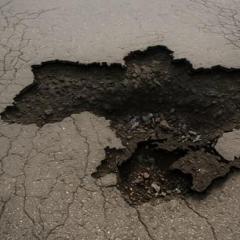
Запись экрана 2026-07-28 120430.mp4 Show what is happening on your side. -

By Sal_GC · Posted
Wil be testing the new version very soon. Will report any findings. -

By carrots · Posted
Windows 3DCoat 2026.15 HOTFIX Portable 3DCoat, 3DCoat Textura - The default folder for 3DCoat Textura has been changed from 3DCoatTextura to 3DCoatTextura2026 to avoid version conflicts. - Fixed an error in exporting to Blender when the script path parameter did not have quotes. - Fixed an issue where unwanted trails appeared in the viewport when moving objects along an axis using a hotkey instead of the transform gizmo. - Fixed an issue with color distortion in grouped painting layers. - Fixed an issue where the layer list in the "Take Other Layer As Mask" menu duplicated every time it was opened. - Fixed an issue where node-generated materials in Per-pixel Painting appeared dark. - Remove debug information from NodeGraph - Fix node baking with using the gizmo - Matrix property type support in NodeGraph - Fix minor bugs & crashes - Restore hard glsl validation for NodeGraph - Renamed the 'Vector' node category to 'Math' and moved organic textures from 'Pattern' into dedicated 'Noise' categories, while keeping all your existing projects fully compatible. - Bake color, metall and gloss to voxels (volumetrics) - Texture Loading ProgressBar - Support for depth blending with underlying layers (GPU PPP) -
-

By Norris Lin · Posted
I would like to report a bug potentially relate to this patch note from 2025.12 patch: - New plane pick mechanics: if you click quickly, the RMB menu appears. Click longer to select a point and a plane. [that was before] Changed: Hold RMB to move the plane's central point over the surface, but keep it normal. Press CTRL to move the plane along the normal. I have attached a video here to detail the bug. I would really appreciate if the developer can look into this. Thanks! 3Dcoat_bug_072726.mp4 -
By Norris Lin · Posted
I would like to report a bug potentially relate to this patch note from 2025.12 patch: - New plane pick mechanics: if you click quickly, the RMB menu appears. Click longer to select a point and a plane. [that was before] Changed: Hold RMB to move the plane's central point over the surface, but keep it normal. Press CTRL to move the plane along the normal. I have attached a video here to detail the bug. I would really appreciate if the developer can look into this. Thanks! 3Dcoat_bug_072726.mp4 -
By Mihu83 · Posted
This particular mesh is something like 1,8 mill and surface mode. -
By Dmitriy Nos · Posted
Is the sculpt mesh dense enough? I've noticed some distortion in the retopo mesh if the sculpt resolution is low. -
By Mihu83 · Posted
Yeah, that was a bug in version 2025.17, which I stil use. It seems like version 2026.12 works correctly. -
By Dmitriy Nos · Posted
My hidden retopo objects are not unwrap. Correct me. Запись экрана 2026-07-27 193441.mp4 -
By Carlosan · Posted
Hello This bug was reported and it will be fixed on the next release soon thanks for point it up -
By Kseniia · Posted
Hi! I've just updated my 3DCoatTextura to 2026 version and am having a lot of issues. I already fixed some of them, but now I have a problem that clipping mask (via RMB click on the layer) doesn't work at all, though it has an arrow icon on the layer. I can create a working clipping mask via Layer Blending panel. But it's just not comfortable switching to this panel each time I need to create or delete the clipping mask. I didn't have this issue in 2025 version. Anyone faced same issue? -
By Carlosan · Posted
Cleaned up ui, some improvements to layout etc https://github.com/LiamSmyth/LKS_3DCTools/releases -
By Carlosan · Posted
This bug was solved on the new release. thanks for point it up
-