• Ελληνικά
  • Τεκμηρίωση 3DCoat
  • Chapters
    • Εισαγωγή στο 3DCoat
    • Ξεκινώντας
    • Διασύνδεση & Πλοήγηση
    • Εξαρτήματα Brush
    • Χώροι εργασίας Δωμάτια
    • Scripting & Core API
    • Ερωτήσεις και απαντήσεις
    • licensing
    • Εκπαιδευτικά Φροντιστήρια
  • Pilgway
  • Products
    • 3DCoat
    • 3DCoatTextura
    • 3DCoatPrint
    • PBRLibrary
  • Blog Posts
  • Store
  • Ελληνικά Ελληνικά
    • English English
    • Українська Українська
    • Español Español
    • Deutsch Deutsch
    • Français Français
    • 日本語 日本語
    • Русский Русский
    • 한국어 한국어
    • Polski Polski
    • 中文 (中国) 中文 (中国)
    • Português Português
    • Italiano Italiano
    • Suomi Suomi
    • Svenska Svenska
    • 中文 (台灣) 中文 (台灣)
    • Dansk Dansk
    • Slovenčina Slovenčina
    • Türkçe Türkçe
    • Nederlands Nederlands
    • Magyar Magyar
    • ไทย ไทย
    • हिन्दी हिन्दी
    • Tiếng Việt Tiếng Việt
    • Lietuviškai Lietuviškai
    • Latviešu valoda Latviešu valoda
    • Eesti Eesti
    • Čeština Čeština
    • Română Română
    • Norsk Bokmål Norsk Bokmål
  • Creating 3D Character Using 3DCoat
  • Τεκμηρίωση 3DCoat
  • Chapters
    • Εισαγωγή στο 3DCoat
    • Ξεκινώντας
    • Διασύνδεση & Πλοήγηση
    • Εξαρτήματα Brush
    • Χώροι εργασίας Δωμάτια
    • Scripting & Core API
    • Ερωτήσεις και απαντήσεις
    • licensing
    • Εκπαιδευτικά Φροντιστήρια
  • Pilgway
  • Products
    • 3DCoat
    • 3DCoatTextura
    • 3DCoatPrint
    • PBRLibrary
  • Blog Posts
  • Store
  • Ελληνικά Ελληνικά
    • English English
    • Українська Українська
    • Español Español
    • Deutsch Deutsch
    • Français Français
    • 日本語 日本語
    • Русский Русский
    • 한국어 한국어
    • Polski Polski
    • 中文 (中国) 中文 (中国)
    • Português Português
    • Italiano Italiano
    • Suomi Suomi
    • Svenska Svenska
    • 中文 (台灣) 中文 (台灣)
    • Dansk Dansk
    • Slovenčina Slovenčina
    • Türkçe Türkçe
    • Nederlands Nederlands
    • Magyar Magyar
    • ไทย ไทย
    • हिन्दी हिन्दी
    • Tiếng Việt Tiếng Việt
    • Lietuviškai Lietuviškai
    • Latviešu valoda Latviešu valoda
    • Eesti Eesti
    • Čeština Čeština
    • Română Română
    • Norsk Bokmål Norsk Bokmål
  • Creating 3D Character Using 3DCoat
Expand All Collapse All
  • Εισαγωγή στο 3DCoat
  • Ξεκινώντας
    • System requirements
    • Why 3DCoat is Unique?
    • Ενεργοποίηση 3DCoat
    • Σφάλμα εκκίνησης
      • Startup error Mac
    • Color management
    • Upgrading permanent license
    • Linux Setup
      • Linux initial setup per-user installation
      • Linux initial setup for system
      • Tablet setup
      • To GTK3 from GTK2
    • Δομή φακέλων
      • Custom documents folder
    • Διαφορετικές μορφές «επίλυσης»
    • Tablet on Window
    • Import & Export
    • Applinks σε 3DCoat
      • Σύνδεσμος εφαρμογής Blender
        • Blender with the Applink in Linux
      • Blender 4.2/3/4/5 applink
      • Max Applink
      • Houdini applink
      • Lightwave uplink
  • Navigation
    • Άνοιγμα διαλόγου (Μενού γρήγορης έναρξης)
    • Πίνακας πλοήγησης
    • Κάμερα και Πλοήγηση
      • Customize Navigation as Blender
    • Viewport Navigation Gizmo
    • Left tool panel
    •  Activity Bar
    • Πλοήγηση με χρήση συσκευών 3DConnexion
      • How to compile Spacenavd on non Ubuntu distro
    • Stylus doesn’t work in sculpting
    • Πλήκτρα συντόμευσης
  • Διασύνδεση & Πλοήγηση
    • Μενού Αρχείο
    • Επεξεργασία μενού
      • Calculate Curvature
      • Calculate Occlusion
      • Light Baking Tool
      • Προτιμήσεις
    • Προβολή μενού
    • Συμμετρία
    • Textures
    • Calculate
    • Μενού επιπέδων
    • Μενού παγώματος
    • Hide
    • Bake
    • Καμπύλες 2022
      • Μενού Curves
      • Curves Properties RMB
      • Γεμίστε με διχτυωτό στρώμα
      • Scale of imported curves
    • Μενού των Windows
      • Αναδυόμενοι πίνακες των Windows με καρτέλες
      • Ρυθμιστικά
    • Scripts
    • Addons
    • Capture
    • Μενού βοήθειας
    • Προσαρμογή
    • Τροποποίηση ή Δημιουργία νέου δωματίου
  • Εξαρτήματα Brush
    • Brush Top Bar
    • Βούρτσες γενικής χρήσης
      • Δημιουργήστε πινέλα και χαλκομανίες
      • Κατασκευή άλφα από την τρέχουσα γλυπτική
      • Δημιουργήστε ένα Brush από ένα τρισδιάστατο αντικείμενο
      • Create brushes based on Curves
      • Load photoshop .abr brushes
    • Εγκεφαλικά επεισόδια
      • Αναδυόμενο μενού Curves
    • Επιλογές Brush
    • Περιοριστής συνθηκών
    • Πάνελ λωρίδων
    • Στένσιλ Πάνελ
    • Έξυπνα Υλικά
      • Προσθέστε νέες εικόνες ή υλικά
      • Συνδέστε ένα έξυπνο υλικό σε ένα στρώμα
      • Import Quixel Material
    • Πώς να δημιουργήσετε προεπιλογές για το Brush
  • Χώροι εργασίας Δωμάτια
    • Painting
      • Painting υφής & τρόποι λειτουργίας
        • Painting Per-Pixel
        • Painting με μετατόπιση (Micro-Vertex)
        • Painting Ptex
        • Painting Επιφανειών (Πολυβαψίματος)
      • Εισαγωγή στην αίθουσα Painting
        • Initial CC subdivision
        • UV Set smoothing
        • Sharp (hard) edge
        • Κλείδωμα Κανονικά
        • Φόρτωση νέας διάταξης UV μετά από αλλαγές μοντέλου
        • DAZ Genesis models into 3DCoat
      • Μενού του Χώρου Εργασίας Painting
        • Edit menu
        • Μενού Υφές
          • Εργαλεία Baking υφής
        • Κρύβω
        • Μενού για το Bake Paint
        • Ο Επιλογέας Χρώματος
      • Top Bar για τη Painting
      • Ο πίνακας στρωμάτων
        • Ο πίνακας ανάμειξης
        • Layer and Clipping Masks
      • Εργαλεία δωματίου Painting
      • Αδιαφάνεια – Διαφάνεια
      • Προσαρμόστε τον χώρο εργασίας
        • Tweak Toolset
        • Εξαγωγή από το Tweak Room
      • Πίνακας προεπισκόπησης μάσκας/υλικού
      • Εξαγωγή από το Painting Room
    • Χώρος εργασίας UV
      • UV Top Bar
      • UV Αριστερός πίνακας εργαλείων
      • Πίνακας προεπισκόπησης UV
      • Παράδειγμα ροής εργασίας UV
      • Εισαγωγή στο δωμάτιο UV
      • Εξαγωγή από το δωμάτιο UV
    • Ρετοπολογία
      • Εισαγωγή στο Retopo Room
      • Μενού Retopo Mesh και Bake Menu
        • Λειτουργία εικονικού καθρέφτη
      • Bake menu
        • Treat Poly Groups as Paint Objects
        • Baking guide
      • Top Bar
        • Επιλέξτε γεωμετρία
      • Αριστερός πίνακας εργαλείων στην αίθουσα ρετοπολογίας
        • Συνολικός Σκοπός & Λειτουργία
        • Προσθήκη γεωμετρίας
          • Εργαλείο Strokes στη Ρετοπολογία
        • Retopo Tweak Tools
        • Εργαλεία UV
        • Εντολές για αίθουσα ρετοπολογίας
      • AUTORETOPO
        • Autopo guide
      • Poly Groups
    • Γλυπτική
      • Sculpt Layer
      • Sculpt Tree
      • Επιλογές Sculpt Brush
      • Top Bar
      • Κινητήρας Brush
      • Υπομενού Γεωμετρία
      • Σμιλέψτε το μενού "Δεξί κλικ".
      • Shaders
      • Λειτουργία Voxel
        • Pure Voxel Sculpting
        • Πυκνότητα και Ανάλυση
        • Πήλινη μηχανή
        • Voxel Tools
        • Εργαλεία επιφάνειας σε Voxels
        • Εργαλεία προσαρμογής Voxel
        • Ογκομετρική Painting
        • Εργαλεία αντικειμένων Voxel
      • Επιφανειακή λειτουργία
        • Επιφανειακά εργαλεία
        • Προσαρμοσμένα εργαλεία επιφάνειας
        • Εργαλεία ρύθμισης επιφάνειας
        • Επιφανειακή Painting
        • Εργαλεία αντικειμένων επιφάνειας
        • Ανάλυση πολλαπλών επιπέδων
          • Multires tools
          • Multires adjust
          • Multires commands
      • Σμιλεύει καμπύλες
        • Καμπύλες Spline
        • Splines model creation
      • Διανυσματική μετατόπιση
      • Εργαλεία μετασχηματισμού επιφάνειας
        • Voxel Transform Tools
        • Instancer
        • Move
        • Pose
        • Fit
        • Reproject
        • Surface Array
      • Voxel Primitives & Import Tools
      • Ζωντανά booleans
      • Εντολές για το δωμάτιο Sculpt
      • Import στο Sculpt Room
      • Εξαγωγή από το Sculpt Room
    • Καθιστώ
      • Comparison of different roughness values
      • Λειτουργίες πίνακα απόδοσης
      • Περιστροφική πλάκα
      • Fakebake the lighting - non PBR-
    • Factures
      • Ροή εργασιών
    • Το πιο απλό
    • Πρίπλασμα
      • Mesh Menu
      • Αριστερός πίνακας εργαλείων στην αίθουσα μοντελοποίησης
        • Προσθήκη γεωμετρίας
          • Επιλεγμένο
        • Μικροδιόρθωση
        • Smart Hybrid
        • UV
          • Εντολές
        • Ολόκληρο πλέγμα
      • Παράδειγμα επιφάνειας σοφίτας από τον Fluffy
      • Blockout από τον Poeboi
      • Import Zbrush Polygroups for UV mapping
    • Kitbash - Γρήγορη δημιουργία τρισδιάστατων μοντέλων
      • Create kitbash
      • Left tool panel Kitbash
    • 3DPrint
    • Photogrammetry
      • How to install Reality Capture
      • Reality Capture doesn’t show up ?
    • Διχτυωτό στο δωμάτιο NURBS
    • Nodes
      • Sculpt shaders Nodes Library
  • Scripting & Core API
    • Scripting
    • Core API
    • Python API
  • Δωρεάν 3DCoatPrint

Why 3DCoat is Unique?

1608 views 1

Written by Serhii
July 23, 2025
Interface & Navigation
Workspaces Rooms
Key Features

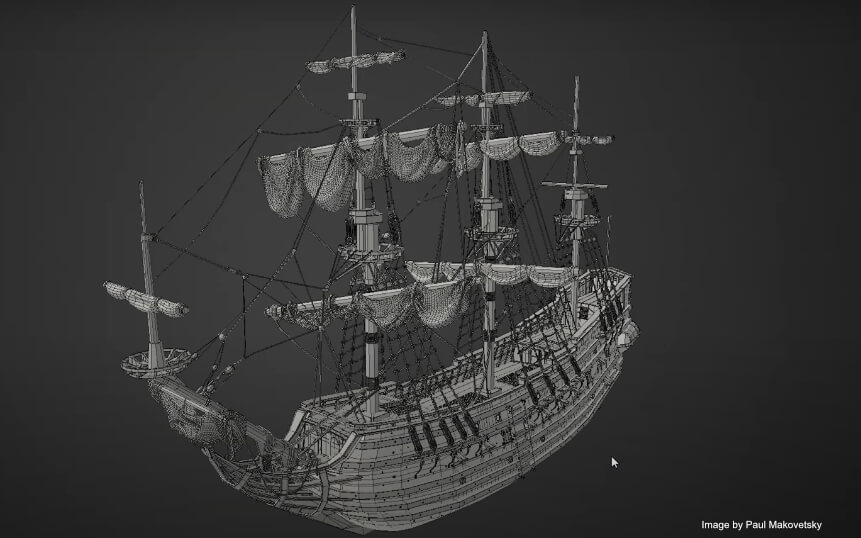
3DCoat is an advanced 3D creation suite for creating and painting 3D models (available in 70 languages), specializing in such 3D technologies: voxel and polygonal Sculpting , Concept Art Making, various types of Retopology (automatic, manual, and smart with the curves), UV Editing and UV mapping (manually and automatically here and here ), Hand-painting and PBR Texture Painting, Lowpoly modeling, Rendering, Photogrammetry with help of Reality Capture (easy scans cleaning) and has free PBR Library. Only 3DCoat offers the unique in the industry true volumetric painting feature, allowing you to paint a volume and create a 3D texture by adding color to voxels.

Where other applications in this market segment tend to specialize in one specific task, such as Digital Sculpting or Texture Painting, 3DCoat provides a unified pipeline for asset creation and 3D visualizations such as still images.

For instance, you can make a comparative analysis of 3DCoat with other applications by entering “3DCoat vs Zbrush” or “3DCoat vs Substance Painter” in the Google search bar – Google Gemini will give you that analysis. Similarly, you can make an analysis of “3DCoat vs Blender” using ChatGPT.

Additionally, you can create a comparative table using ChatGPT: “3DCoat vs Blender vs ZBrush vs Substance Painter”.

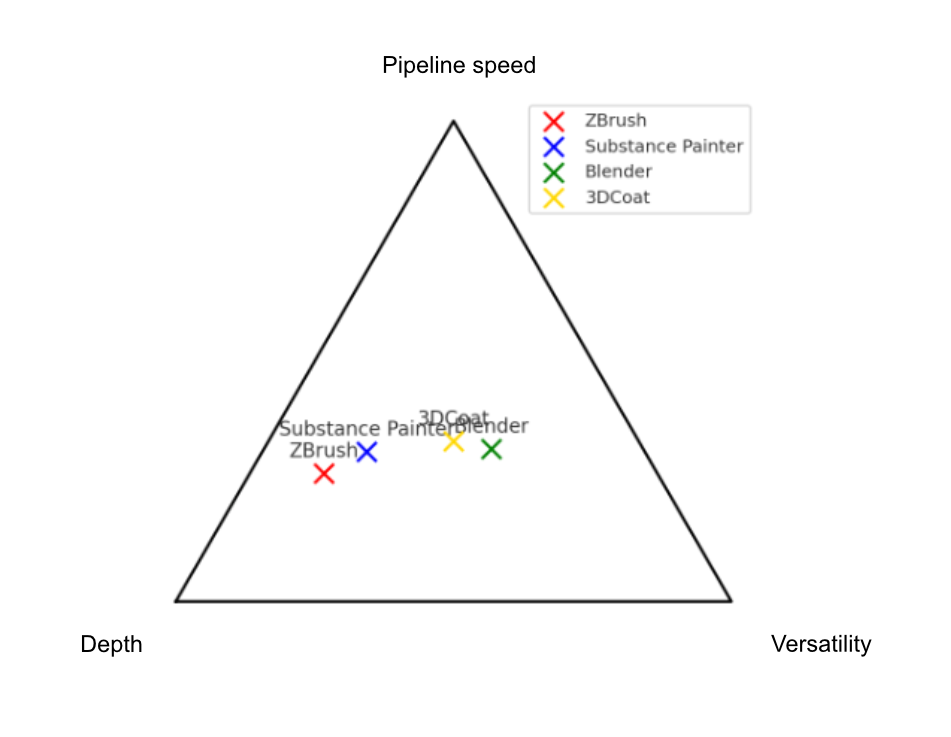
As a result, considering the breadth of pipeline coverage, 3DCoat can be regarded in some sense as the optimum golden mean between Blender, ZBrush, and Substance Painter, offering comprehensive professional capabilities in sculpting, retopology, UV editing, texturing, and photogrammetry with the help of RealityCapture.

Thus, it covers the entire cycle (sculpt → retopo → UV → PBR texturing → export) and in each of these areas, it has no critical failures – everything is at a level suitable for production.

Here is the approximate picture that ChatGPT gave concerning 3DCoat as a golden mean:
Alternatively, 3DCoat can be a valuable and perfect companion for any of the tools mentioned above.

To learn 3DCoat, you can start with AntonTenitsky’s free Intro to 3DCoat playlist.

We also strongly recommend Anton’s Training Course for Beginners, “Intro to 3DCoat: From Noob to Cook”. It’s a great way to learn the basic techniques and get started with 3DCoat. It contains 153 short videos, 1-3 minutes per tool (nearly 8 hours). It makes navigation and studying convenient.

The course is designed to guide you through the fundamental features of 3DCoat, covering key topics like sculpting, manual and auto-retopology, UV mapping, baking texturing, and rendering. The tutorial also bridges the workflow between 3DCoat and Blender, showing how to set up scenes and create camera animations for professional-quality presentations. For those interested in obtaining the course, we have a Special Offer: use the promo code 3DCOAT30 to get a 30% discount. (Note: Gumroad automatically proposes you to leave a tip. However, it’s optional, and you can adjust/remove it before making your payment.)

Videos of latest releases (YouTube channel is here)


Main Technologies Inside 3DCoat:


Texturing (hand-painting and PBR)

  • MicroVertex, Per Pixel or Ptex Painting, and Polypaint approaches.
  • Realtime Physically Based Rendering viewport with HDRL
  • Smart Materials with easy set-up options
  • Multiple Paint Layers. Popular blending modes and Layer groups.
  • Tight interaction with Photoshop.
  • Texture size up to 16k.
  • Fast Ambient Occlusion and Curvature map calculation.
  • Rich toolset for all kinds of painting tasks, and more…
  • PBR texturing is described here
  • Hand painting is described in this article
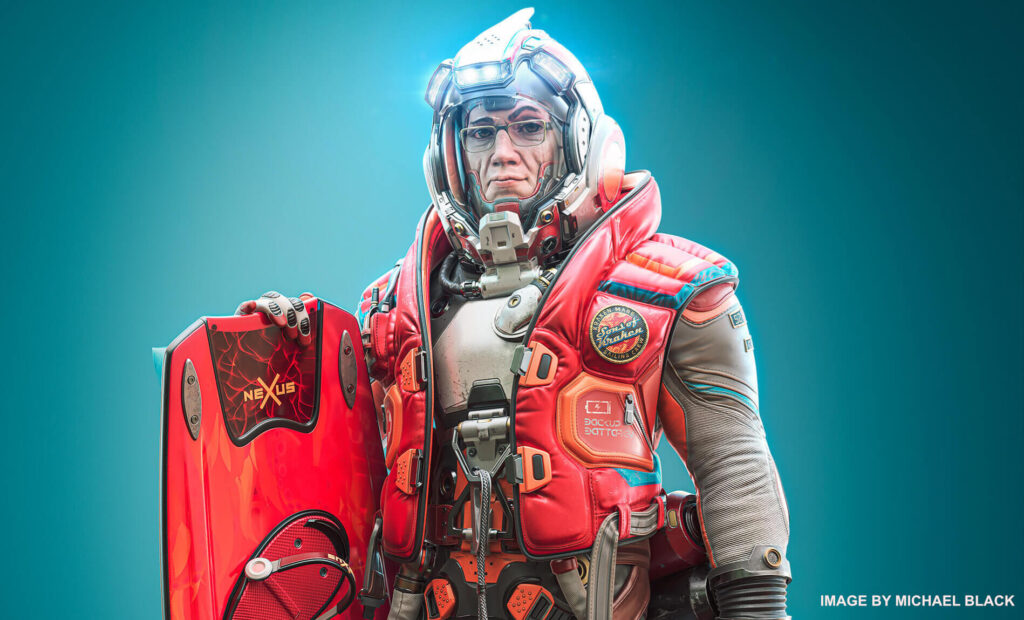

Digital Sculpting (voxels and surface)

  • Voxel sculpting with no topological constraints
  • Complex boolean operations
  • Vox hide feature
  • Live booleans
  • Soft booleans
  • Dozens of fast and fluid sculpting brushes
  • Adaptive dynamic tesselation
  • Dozens of fast and fluid sculpting brushes
  • More about digital sculpting in this article、
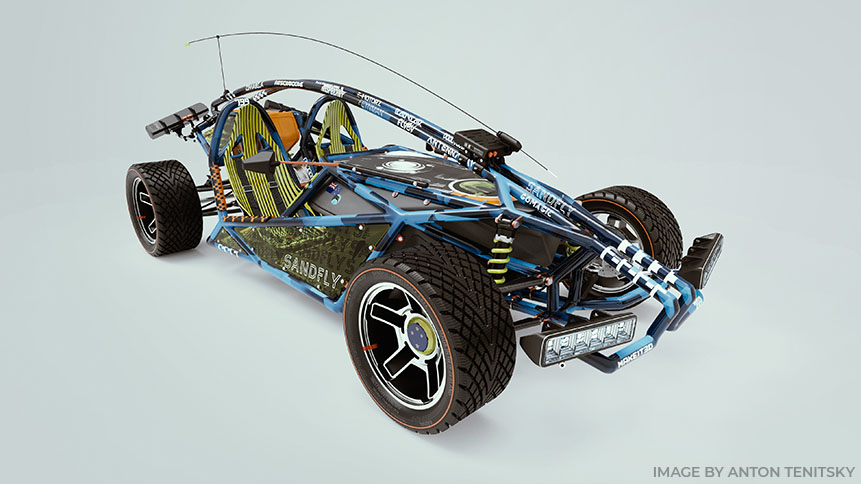
Modeling

  • Classic polygonal modeling is fully supported.
  • Move, Rotate, Scale, Extrude, Inset, and other popular instruments.
  • Full 3d production pipeline became even easier.
  • Splines and Joints – cool way for fast modeling.
  • Kitbash Room is specially designed to perform fast dressing of complex scenes.
  • Use the extensive existing model library, or create your own.
  • Extensive library of primitives.
  • Basic Principles Of Low Poly Modeling

Retopology Tools

  • Auto-retopology (AUTOPO) with user-defined edge loops.
  • Retopology by decimation.
  • Auto Retopology with Instant Meshes addon.
  • Fast and easy-to-use Manual Retopo tools.
  • Smart Retopology toolset
  • Possibility to import reference mesh for retopology
  • Use your current low-poly mesh as your retopo mesh.
  • Retopo groups with color palettes for better management.
  • Advanced baking settings dialog.
  • Library of Retopo models.
  • See more…

UV Mapping

  • Professional toolset for creating and editing UV-sets
  • Auto UV mapping
  • Udim Support.
  • Native Global Uniform (GU) unwrapping algorithm
  • Multiple UV-sets support and management
  • Support ABF, LSCM, and Planar unwrapping algorithms
  • Individual islands tweaking
  • Several checkers views
  • More about UV mapping you can read in this article
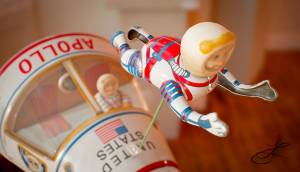
Rendering

  • Physically Based Rendering.
  • High Dynamic Range Lighting.
  • Screen Space Reflections and Lights.
  • Renderman support.
  • Multiple colored lights.
  • Render passes.
  • DOF and other effects.
  • Node editor for Environment and Post Effects
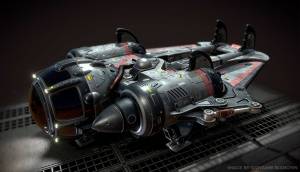
Concept art making

  • 3DCoat really shines when making Concept Arts.
  • With Voxels technology, you don’t need to worry about any technical aspects.
  • Turn your ideas into a great concept in no time

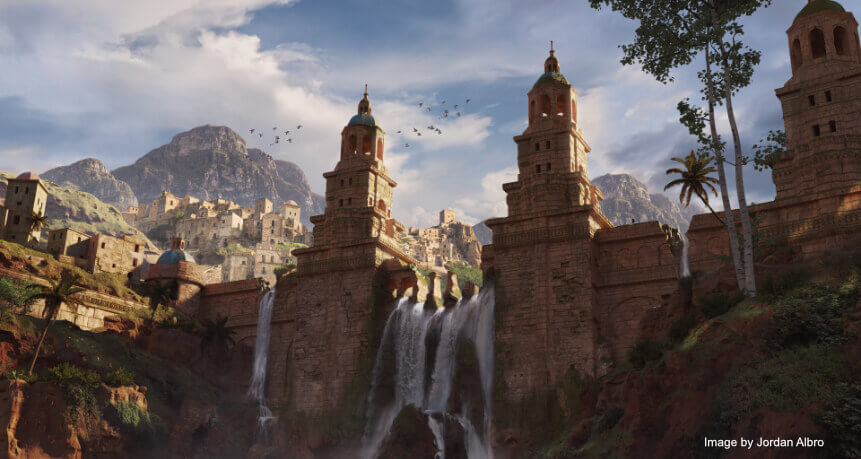
Everything starts with a Concept!
It is very convenient now to use 3d software in concept art production pipeline.
Usually it starts with a rough or detail 3d blocks, separate 3d objects or even complete 3d scenes with later paintover in Photoshop or other 2d image editor.


3DCoat Tutorials

Find more tutorial videos on our YouTube channel

3DCoat YouTube channel

Was this helpful?

1 Yes  No
Related Articles
  • Surface Array
  • Top Bar
  • Curves Properties RMB
  • Left tool panel Kitbash
  • Create kitbash
  • Color management
Previously
System requirements
Up Next
Ενεργοποίηση 3DCoat
AI:
Hi! How can I help you?
Attention: This is a beta version of AI chat. Some answers may be wrong. See full version of AI chat