 Español
  English
 Українська
 Deutsch
 Français
 日本語
日本語 Русский
 한국어
한국어 Polski
 中文 (中国)
 Português
 Italiano
 Suomi
Suomi Svenska
 中文 (台灣)
 Dansk
Dansk Slovenčina
 Türkçe
 Nederlands
 Magyar
 ไทย
ไทย हिन्दी
 Ελληνικά
 Tiếng Việt
 Lietuviškai
 Latviešu valoda
 Eesti
Eesti Čeština
 Română
 Norsk Bokmål
The Spacebar Menu in 3DCoat (often referred to as the Quick Access Panel) is a context-sensitive menu that provides rapid access to tools tailored to the specific workspace (Room) you are currently using.
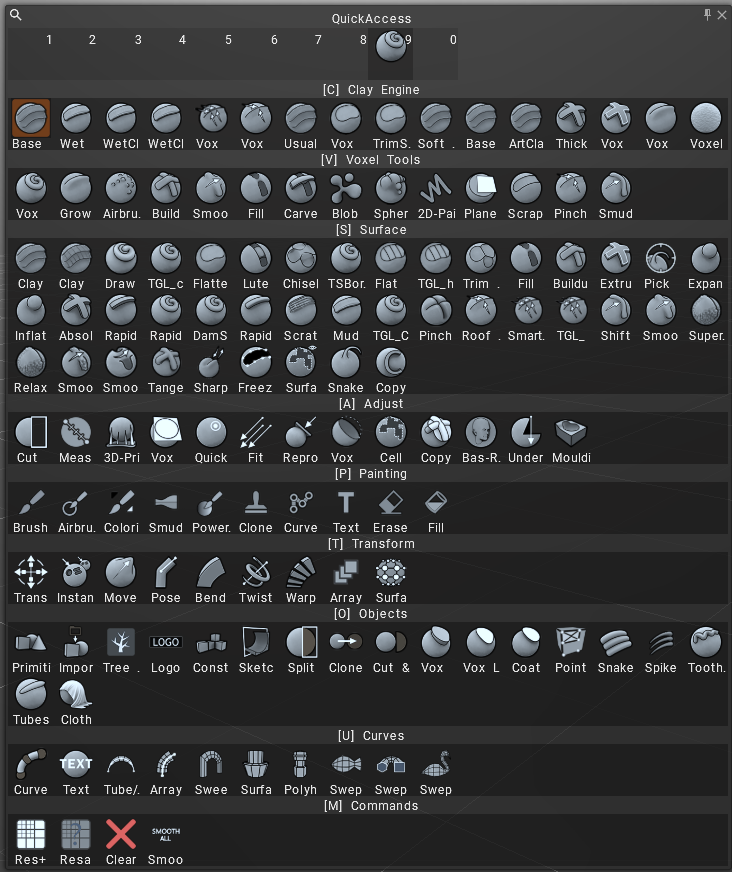
Space Menu approach using search function let you type to find any tool quickly (older menu may be got back from “Edit > Preferences > Themes“).
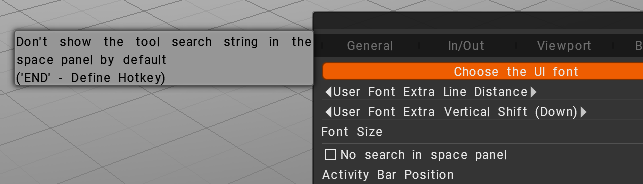
By default when you press Space it opens menu with brushes, but cursor is set into search text box, so if you try to press numbers it types numbers in search bar and hotkeys not working.
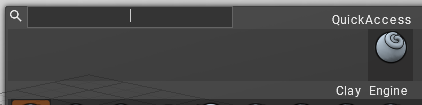
But, you can right click anywhere in this menu, and cursor will be released from text field, and your 1-9 hotkeys are working.
Here is a breakdown of the functionality:
Key Features of the Space Menu
- Context Sensitivity: The tools displayed change depending on whether you are in the Paint, Sculpt, Retopo, or UV room.
- Quick Access: It allows users to hide the main toolbar to maximize viewport space, using the spacebar as the primary way to call up tools.
- Customization: You can customize the hotkeys on the upper section of the panel by dragging and dropping tools from the lower portion.
- Visual Wheel: In the Paint Room, the menu appears as a wheel.
Room-Specific Functionality
- VoxTree/Sculpt Room: Provides access to voxel-specific tools.
- Paint Room: Offers a radial menu (wheel) for painting tools.
- Tweak/Retopo/UV Rooms: Includes relevant tools for adjusting geometry and UV mapping.
- Render Room: Generally does not have tools in this menu.
Accessing Other Menus
- Main Menu (Top): The top menu bar is always available, containing File, Edit, View, Curves, Windows, Scripts, Addons, Capture, and Help.
- Customization: You can edit the menus via
Edit -> Menu(specifically modifying themenu.cppfile inDocuments/3DCoat-2022/UserPrefs/Rooms/CustomRooms/) to add or remove items. - Numerical Input: Pressing Space while a tool is active can allow for numerical input for certain transformations.
Tutorials
Quick Access Spacebar Menu: Showing the Spacebar Quick Access Menu.