 Svenska
What is the Node System?
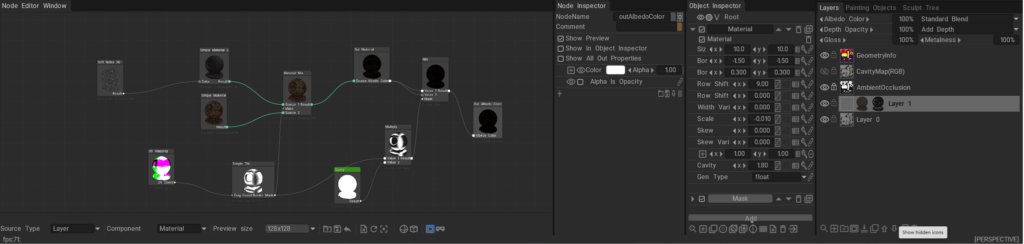
The 3DCoat Node System is a powerful, non-destructive procedural engine designed to create complex materials, masks, geometry deformers, and visual effects without relying on static bitmap textures.
Instead of drawing pixels destructively, you connect mathematical operations, procedural noises, and geometry inputs (nodes) together in a visual graph. Under the hood, these node graphs are dynamically compiled into highly optimized GPU shaders (using NGL – NodeGraph Language), allowing for real-time calculation and rendering. This results in resolution-independent assets that can automatically adapt to the curvature, ambient occlusion, and physical space of your 3D models.
Documentation Index
This directory (docs/) serves as the central repository for all documentation related to the 3DCoat Node System. Below is a guide to what you will find in each file and sub-directory.
Core User Guides
These guides explain the fundamental concepts, interface, and workflows of the Node System.
- Node System User Guide: The foundational manuals for artists. They explain how to use the Node Editor, connect nodes, work with procedural materials, and understand the overall procedural workflow.
- Node Editor Documentation: A detailed breakdown of the Node Editor interface itself, including navigation, node management, connection logic, and UI features.
- Inspectors & Properties Documentation: Explains how to interact with the Node Inspector and Object Inspector. It covers how properties (like 1D curves, color pickers, and sliders) are exposed from the node graph to the user interface for quick artist tweaking.
- PBM Channels Documentation: Documentation on Physically Based Material channels within the node system, explaining how procedural data flows into Albedo, Gloss, Metalness, and other PBR specific rendering targets.
Node References & Languages
Deep dives into the specific building blocks and the shader language that powers them.
- GPU Nodes Overview: An introduction to what GPU Nodes are, how they interact with the GPU, and a high-level summary of node categories.
Preset Libraries
Guides on how complete, ready-to-use node graphs are categorized, stored, and applied in the software.
- NGPresets: Contains documentation for the five main preset windows in 3DCoat that utilize node graphs:
NGMasks: Procedural, resolution-independent smart masks.NGMaterials: Full procedural Smart Materials.NGModifiers: Geometry deformers and displacement map generators.NGFilters: Procedural post-processing filters for modifying existing layers.NGVolumes: True 3D volumetric textures (like solid wood or marble) that evaluate in 3D space and ignore UV seams entirely.