• Nederlands
  • 3DCoat documentatie
  • Chapters
    • Inleiding tot 3DCoat
    • Aan de slag
    • Interface & Navigatie
    • Brush Componenten
    • Node System
    • Werkruimten Kamers
    • Scripting en Core API
    • Vragen
    • licensing
    • Trainingshandleidingen
  • Pilgway
  • Products
    • 3DCoat
    • 3DCoatTextura
    • 3DCoatPrint
    • PBRLibrary
  • Blog Posts
    • Creating 3D Character Using 3DCoat
  • Store
  • Nederlands Nederlands
    • English English
    • ะฃะบั€ะฐั—ะฝััŒะบะฐ ะฃะบั€ะฐั—ะฝััŒะบะฐ
    • Espaรฑol Espaรฑol
    • Deutsch Deutsch
    • Franรงais Franรงais
    • ๆ—ฅๆœฌ่ชž ๆ—ฅๆœฌ่ชž
    • ะ ัƒััะบะธะน ะ ัƒััะบะธะน
    • ํ•œ๊ตญ์–ด ํ•œ๊ตญ์–ด
    • Polski Polski
    • ไธญๆ–‡ (ไธญๅ›ฝ) ไธญๆ–‡ (ไธญๅ›ฝ)
    • Portuguรชs Portuguรชs
    • Italiano Italiano
    • Suomi Suomi
    • Svenska Svenska
    • ไธญๆ–‡ (ๅฐ็ฃ) ไธญๆ–‡ (ๅฐ็ฃ)
    • Dansk Dansk
    • Slovenฤina Slovenฤina
    • Tรผrkรงe Tรผrkรงe
    • Magyar Magyar
    • เน„เธ—เธข เน„เธ—เธข
    • เคนเคฟเคจเฅเคฆเฅ€ เคนเคฟเคจเฅเคฆเฅ€
    • ฮ•ฮปฮปฮทฮฝฮนฮบฮฌ ฮ•ฮปฮปฮทฮฝฮนฮบฮฌ
    • Tiแบฟng Viแป‡t Tiแบฟng Viแป‡t
    • Lietuviลกkai Lietuviลกkai
    • Latvieลกu valoda Latvieลกu valoda
    • Eesti Eesti
    • ฤŒeลกtina ฤŒeลกtina
    • Romรขnฤƒ Romรขnฤƒ
    • Norsk Bokmรฅl Norsk Bokmรฅl
  • 3DCoat documentatie
  • Chapters
    • Inleiding tot 3DCoat
    • Aan de slag
    • Interface & Navigatie
    • Brush Componenten
    • Node System
    • Werkruimten Kamers
    • Scripting en Core API
    • Vragen
    • licensing
    • Trainingshandleidingen
  • Pilgway
  • Products
    • 3DCoat
    • 3DCoatTextura
    • 3DCoatPrint
    • PBRLibrary
  • Blog Posts
    • Creating 3D Character Using 3DCoat
  • Store
  • Nederlands Nederlands
    • English English
    • ะฃะบั€ะฐั—ะฝััŒะบะฐ ะฃะบั€ะฐั—ะฝััŒะบะฐ
    • Espaรฑol Espaรฑol
    • Deutsch Deutsch
    • Franรงais Franรงais
    • ๆ—ฅๆœฌ่ชž ๆ—ฅๆœฌ่ชž
    • ะ ัƒััะบะธะน ะ ัƒััะบะธะน
    • ํ•œ๊ตญ์–ด ํ•œ๊ตญ์–ด
    • Polski Polski
    • ไธญๆ–‡ (ไธญๅ›ฝ) ไธญๆ–‡ (ไธญๅ›ฝ)
    • Portuguรชs Portuguรชs
    • Italiano Italiano
    • Suomi Suomi
    • Svenska Svenska
    • ไธญๆ–‡ (ๅฐ็ฃ) ไธญๆ–‡ (ๅฐ็ฃ)
    • Dansk Dansk
    • Slovenฤina Slovenฤina
    • Tรผrkรงe Tรผrkรงe
    • Magyar Magyar
    • เน„เธ—เธข เน„เธ—เธข
    • เคนเคฟเคจเฅเคฆเฅ€ เคนเคฟเคจเฅเคฆเฅ€
    • ฮ•ฮปฮปฮทฮฝฮนฮบฮฌ ฮ•ฮปฮปฮทฮฝฮนฮบฮฌ
    • Tiแบฟng Viแป‡t Tiแบฟng Viแป‡t
    • Lietuviลกkai Lietuviลกkai
    • Latvieลกu valoda Latvieลกu valoda
    • Eesti Eesti
    • ฤŒeลกtina ฤŒeลกtina
    • Romรขnฤƒ Romรขnฤƒ
    • Norsk Bokmรฅl Norsk Bokmรฅl
Expand All Collapse All
  • Inleiding tot 3DCoat
  • Aan de slag
    • System requirements
    • Why 3DCoat is Unique?
    • 3DCoat activeren
    • Opstartfout
      • Startup error Mac
    • Color management
    • Upgrading permanent license
    • Linux Setup
      • Linux initial setup per-user installation
      • Linux initial setup for system
      • Tablet setup
      • To GTK3 from GTK2
      • Error libicuuc.so.70
    • Mappen structuur
      • Custom documents folder
    • Verschillende vormen van "oplossing"
    • Tablet on Window
    • Import en Export
    • Applinks in 3DCoat
      • Blender -applink
        • Blender with the Applink in Linux
      • Blender 4.2/3/4/5 applink
      • Max Applink
      • Houdini applink
      • Lightwave uplink
  • Node System
    • Node Editor
    • Node & Object Inspectors
    • Node Graph
    • NodeGraph Language (NGL)
    • GPU Nodes
      • Color
      • GeometryIn
      • In
      • Layer
      • Material
      • Out
      • Pattern
      • Pattern3D
      • ShaderToy
      • Shape
      • Texture
      • Tilable
      • UV
      • Vector
    • Filters
    • Masks
    • Materials
    • Modifiers
    • Volumes
  • GPU Texturing
    • PBM Channels
    • Per-Pixel Painting
  • Navigation
    • Dialoogvenster openen (snelstartmenu)
    • Navigatiepaneel
    • Camera en navigatie
      • Customize Navigation as Blender
    • Viewport Navigation Gizmo
    • Left tool panel
    • ย Activity Bar
    • Navigatie met behulp van 3DConnexion-apparaten
      • How to compile Spacenavd on non Ubuntu distro
    • Space Bar Menu
    • Stylus doesn’t work in sculpting
    • Sneltoetsen
  • Interface & Navigatie
    • Bestandsmenu
    • Menu bewerken
      • Calculate Curvature
      • Calculate Occlusion
      • Light Baking Tool
      • Voorkeuren
    • Menu bekijken
    • Symmetrie
    • Textures
    • Calculate
    • Lagen-menu
    • Menu bevriezen
    • Hide
    • Bake
    • Bochten 2022
      • Curven-menu
      • Curves Properties RMB
      • Vul met mesh-laag
      • Scale of imported curves
    • Windows-menu
      • Windows-pop-upvensters met tabbladen
      • Schuifregelaars
    • Scripts
    • Addons
    • Capture
    • Help-menu
    • Maatwerk
    • Wijzig of maak een nieuwe kamer
  • Brush Componenten
    • Brush bovenste balk
    • Borstels algemeen gebruik
      • Borstels en emblemen maken
      • Alfa maken van huidige beeldhouwkunst
      • Maak een Brush van een 3D-object
      • Create brushes based on Curves
      • Load photoshop .abr brushes
    • Beroertes
      • Pop-upmenu Curven
    • Brush opties
    • Voorwaarden Begrenzer
    • Strips-paneel
    • Stencils paneel
    • Slimme materialen
      • Voeg nieuwe afbeeldingen of materialen toe
      • Bevestig een Smart-materiaal aan een laag
      • Import Quixel Megascans
    • Voorinstellingen voor Brush maken
  • Werkruimten Kamers
    • Painting
      • Textuur Painting en modi
        • Per-Pixel Painting
        • Verplaatsing Painting (Micro-Vertex)
        • Ptex Painting
        • Oppervlakte Painting (Polypainting)
      • Importeren in de Painting
        • Initial CC subdivision
        • UV Set smoothing
        • Sharp (hard) edge
        • Normalen vergrendelen
        • Laad een nieuwe UV indeling na modelwijzigingen
        • DAZ Genesis models into 3DCoat
        • ID map
      • Menu's van de Painting
        • Edit menu
        • Texturen-menu
          • Textuur Baking
        • Verbergen
        • Menu voor de Bake Paint
        • De kleurkiezer
      • Surface Materials
      • Bovenste balk voor het Painting
      • Het Lagenpaneel
        • Het mengpaneel
        • Layer and Clipping Masks
      • Gereedschap voor het Painting van kamers
      • Dekking - Transparantie
      • Tweak werkruimte
        • Tweak-toolset
        • Exporteren vanuit de Tweak Room
      • Voorbeeldvenster masker/materiaal
      • Exporteren vanuit de Painting
    • UV werkruimte
      • UV bovenbalk
      • UV Linker gereedschapspaneel
      • UV voorbeeldpaneel
      • UV workflow voorbeeld
      • Importeren in de UV kamer
      • Exporteren vanuit de UV kamer
    • Retopologie
      • Importeren in de Retopo Room
      • Retopo Mesh-menu en bakmenu
        • Virtuele spiegelmodus
      • Bake menu
        • Treat Poly Groups as Paint Objects
        • Baking guide
      • Strokes-tool in Retopology
      • Bovenste balk
        • Selecteer geometrie
      • Linker gereedschapspaneel in Retopology-kamer
        • Algemeen doel en functie
        • Geometrie toevoegen
        • Retopo Tweak-tools
        • UV hulpmiddelen
        • Commando's voor Retopologie kamer
      • AUTORETOPO
        • Autopo guide
      • Polygroepen
    • Beeldhouwen
      • Sculpt Layer
      • Boom beeldhouwen
      • Beeldhouwen Brush opties
      • Top Bar
      • Brush
      • Submenu Geometrie
      • Beeldhouwen "Rechtsklik" -menu
      • Schaduwen
      • Voxel modus
        • Pure Voxel -beeldhouwkunst
        • Dichtheid en resolutie
        • Clay-motor
        • Voxel tools
        • Oppervlaktetools op Voxels
        • Voxel aanpassingstools
        • Volumetrisch Painting
        • Hulpmiddelen voor Voxel objecten
      • Oppervlakte-modus
        • Oppervlak gereedschap
        • Oppervlak aangepaste tools
        • Surface Layer
        • Hulpmiddelen voor het aanpassen van oppervlakken
        • Oppervlakte Painting
        • Hulpmiddelen voor oppervlakteobjecten
        • Resolutie op meerdere niveaus
          • Multires tools
          • Multires adjust
          • Multires commands
      • Bochten beeldhouwen
        • Spline-curven
        • Splines model creation
      • Vectorverplaatsing
      • Hulpmiddelen voor oppervlaktetransformatie
        • Hulpmiddelen voor Voxel transformatie
        • Instancer
        • Move
        • Pose
        • Fit
        • Reproject
        • Surface Array
      • Voxel primitieven en Import
      • Levende booleans
      • Opdrachten voor beeldhouwkamer
      • Import naar beeldhouwkamer
      • Exporteren vanuit de beeldhouwkamer
    • Veroorzaken
      • Comparison of different roughness values
      • Paneelfuncties renderen
      • Draaitafel
      • Fakebake de verlichting -niet PBR
    • Factures
      • Werkstroom
    • eenvoudigste
    • Modellering
      • Mesh Menu
      • Linker gereedschapspaneel in de modelleerkamer
        • Geometrie toevoegen
          • Geselecteerd
        • Aanpassing
        • Smart Hybrid
        • UV
          • Commando's
        • Geheel gaas
      • Voorbeeld loftoppervlak van Fluffy
      • Blokkade door Poeboi
      • Import Zbrush Polygroups for UV mapping
    • Kitbash - Snelle creatie van 3D-modellen
      • Create kitbash
      • Left tool panel Kitbash
    • 3DPrint
    • Photogrammetry
      • How to install Reality Capture
      • Reality Capture doesn’t show up ?
    • Mesh naar NURBS-kamer
    • Nodes
      • Sculpt shaders Nodes-bibliotheek
      • Open PBR
  • Scripting en Core API
    • Core API
    • Python-API
    • Extensions and Addons
  • Gratis 3DCoatPrint

PBM Channels

172 views 0

Written by Volodymyr Makovetskyi
May 13, 2026

The 3DCoat render system supports an advanced physically based material (PBR/PBM) model. It includes not only standard channels but also specialized effects to create the most realistic surfaces possible.

Below is a detailed description of each channel and its impact on the material’s appearance, based on the internal shader architecture.


1. Base Channels

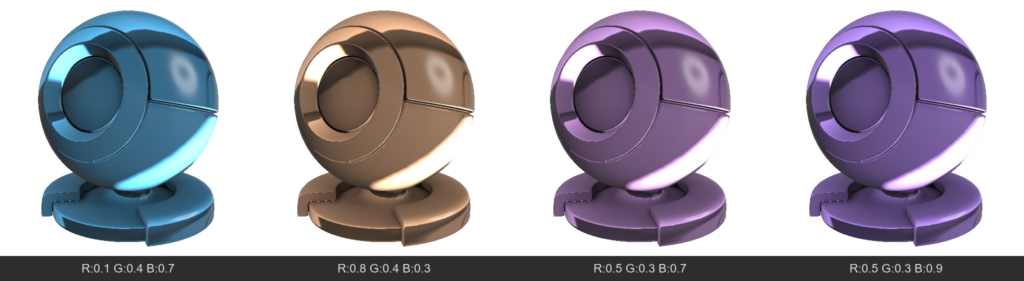
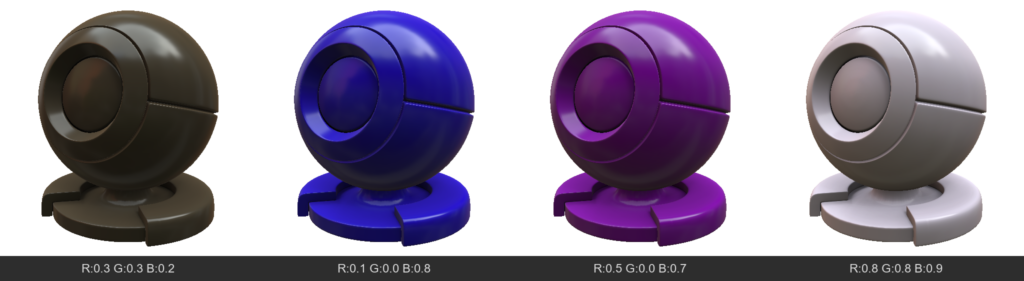
  • AlbedoColor (Albedo / Base Color)
    The main color of the surface. For dielectrics (non-metals), this is their own color. For metals, it’s their reflection color.
  • Opacity
    Determines how opaque a pixel is. Usually used for “CutOut” transparency (leaves, meshes), hiding geometry where the value is low.
  • Emissive
    Adds self-illumination to the material. The surface will be bright even in complete darkness and can cast light on neighboring objects (via global illumination).
  • TSNormal (Tangent Space Normal)
    A normal map that defines fine surface relief without altering the geometry itself.
  • AmbientOcclusion
    Micro-shadowing in recesses. Darkens areas that are hard for diffuse light to reach, emphasizing the volume of the relief.
  • Mask
    A general technical channel that can be used for layer blending logic or creating custom effects.

2. Specular & Metalness

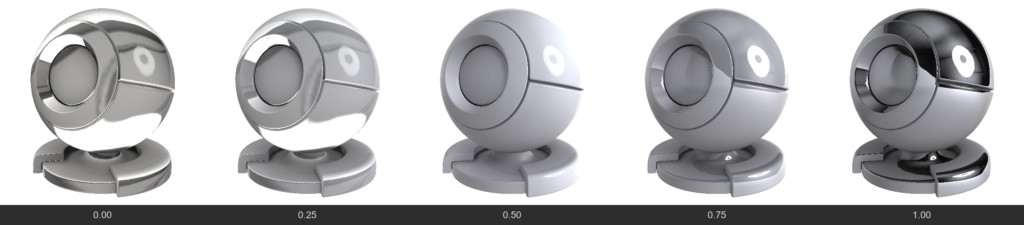
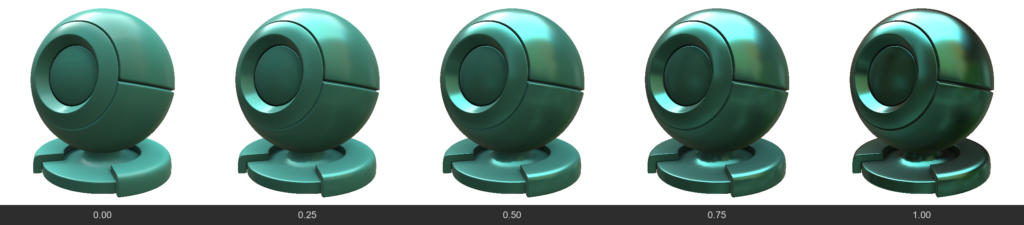
  • Metalness
    Determines whether a material is a metal.
  • 0 (Dielectric): Reflects only 4% of light at a direct angle (depends on IOR), albedo acts as the surface color.
  • 1 (Metal): Albedo becomes the reflection color (e.g., yellow gold), and the diffuse color disappears.
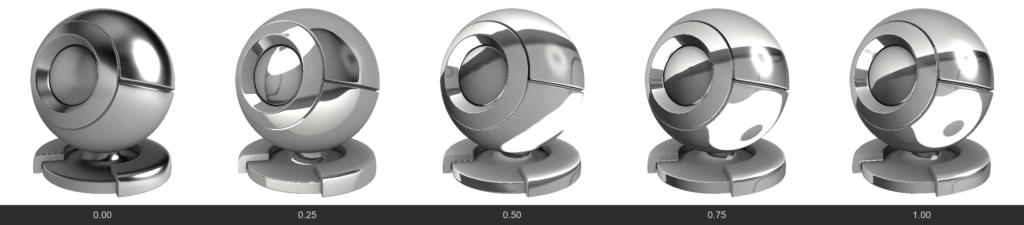
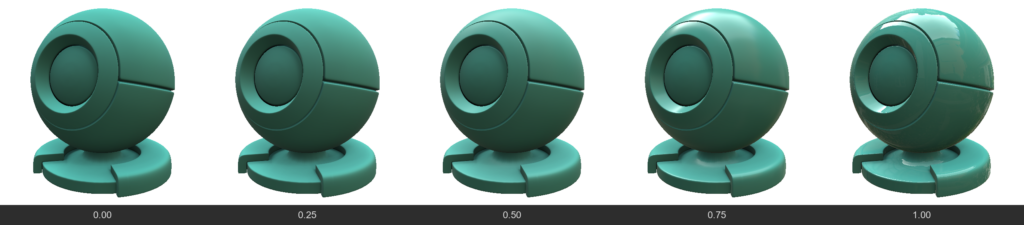
  • Roughness / Gloss
    Gloss = 1.0 - Roughness. Determines the “polish” of the surface. High Gloss gives sharp, mirror-like reflections, while high Roughness blurs reflections, making the surface matte.
  • IOR (Index of Refraction)
    Determines the strength of the base reflection (F0) for non-metals. For example, water has an IOR ~1.33, glass ~1.5. Affects how strongly a surface reflects light when viewed at a direct angle.
  • ReflectionColor
    Additional color control for reflection. Usually, reflection for non-metals is colorless, but this channel allows you to forcefully change its tint (e.g., for stylized materials).
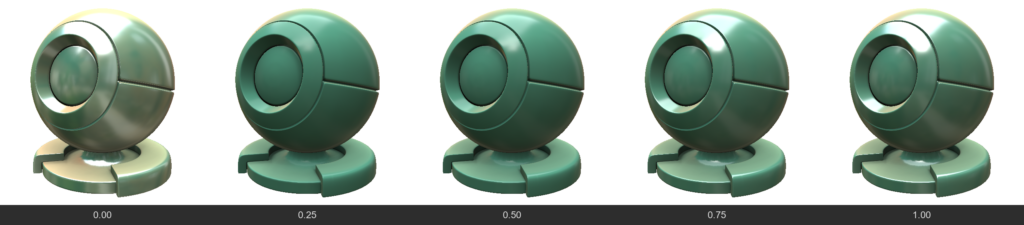
  • SpecularEdgePower
    Controls the Fresnel effect (how strongly a material reflects light when viewed at a grazing angle). Allows you to enhance or weaken highlights on the edges of an object.
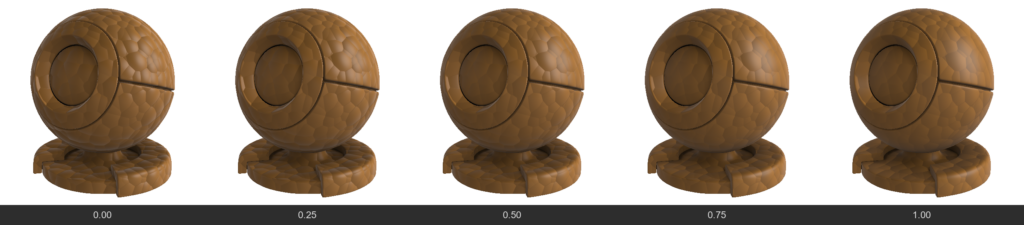
  • FlatSpecular
    Allows you to “flatten” reflections, ignoring fine irregularities from the normal map. Useful for stylization or avoiding “noisy” highlights on complex details.
3. Refraction / Glass

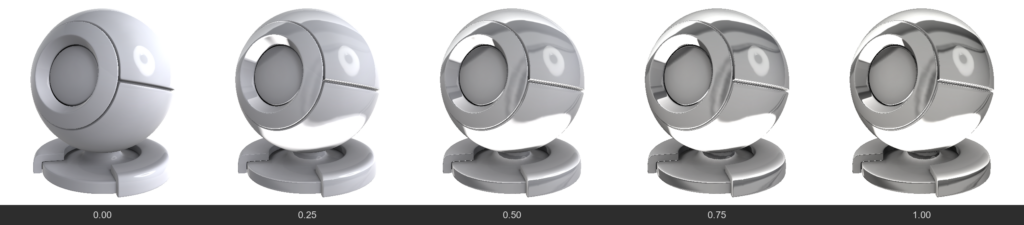
  • Refraction
    Unlike Opacity (which simply “cuts” a hole), this is physical material transparency (like glass or water). Light passes through the surface and refracts. The higher the value, the more transparent the material.
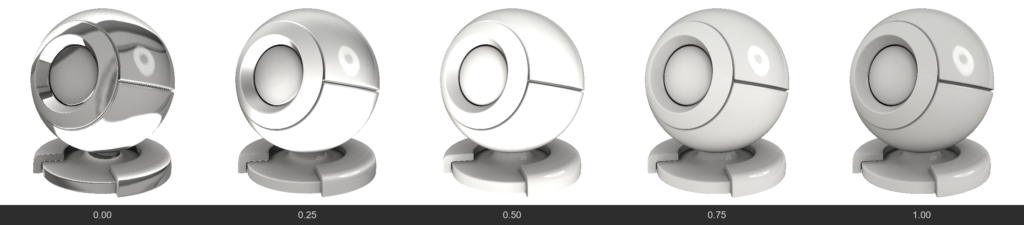
  • RefractionBlur
    Frosted glass. Blurs the background visible through a transparent object. Often linked to regular Roughness but allows controlling background blur separately.
  • RefractionMetalness
    Allows creating translucent metals (like thin gold foil or metallized films) while retaining transparency.
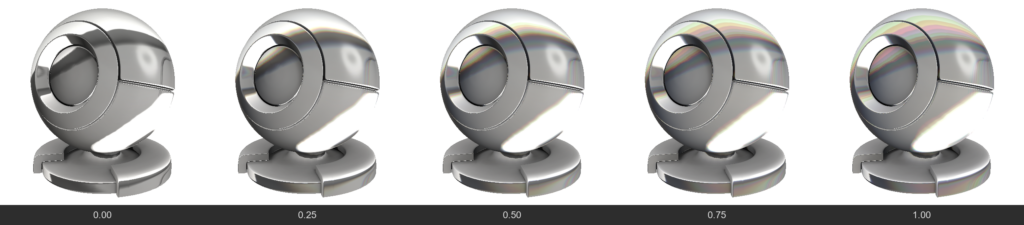
  • RefractionChromatic (Chromatic Aberration)
    Separates refracted light into a spectrum (like a prism), creating colored halos on the edges of thick glass.
4. SubSurface Scattering (SSS & Volume)

Used for translucent materials (skin, wax, milk, plastic, jade).

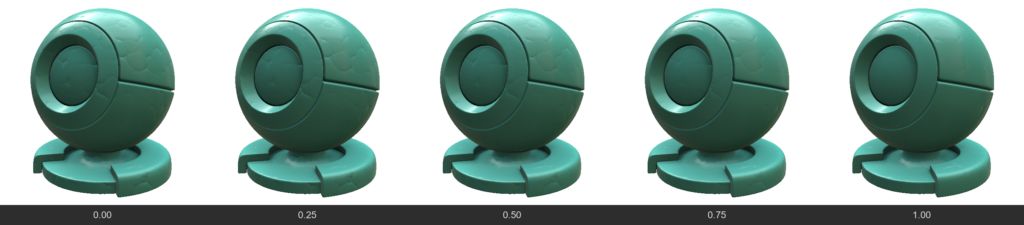
  • SubSurface / Volume
    Determines how deep light penetrates into the material. This makes shadows softer and translucent edges brighter.
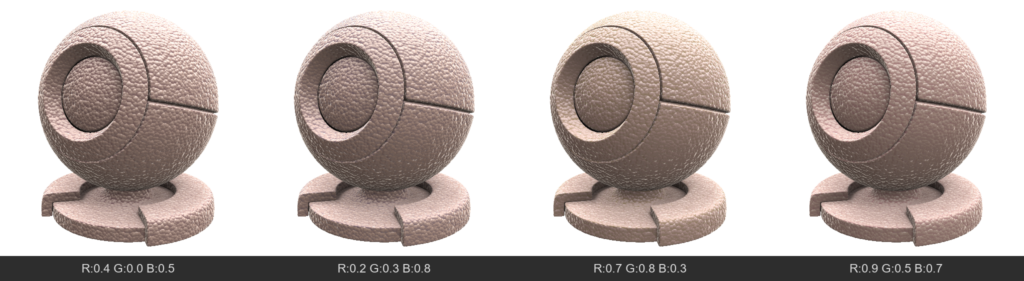
  • SubSurfaceColor
    The color of the light that scatters beneath the surface. For example, for human skin, AlbedoColor would be flesh-toned, while SubSurfaceColor would be red (due to blood under the skin).
5. Special Surface Effects

  • Anisotropy
    Stretches the specular highlight in a specific direction. Characteristic of brushed metal (pots), hair, or silk.
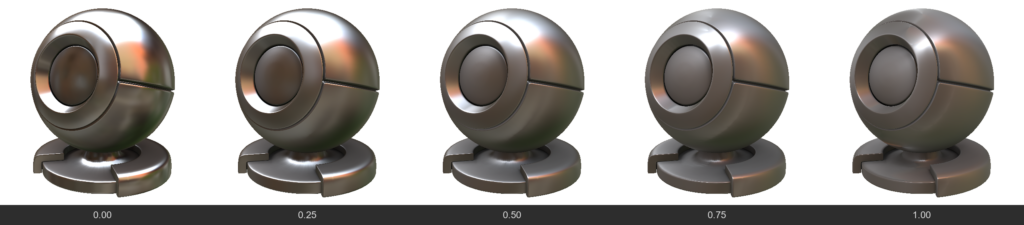
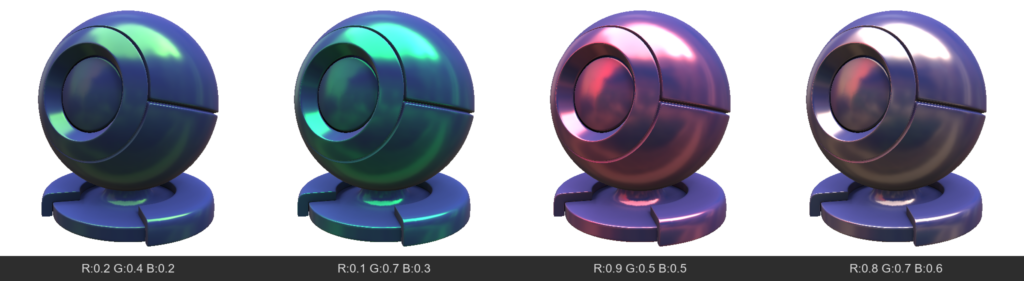
  • Iridescence
    Thin film interference effect. Creates rainbow shifting colors depending on the viewing angle (like on soap bubbles, insect wings, or spilled gasoline).
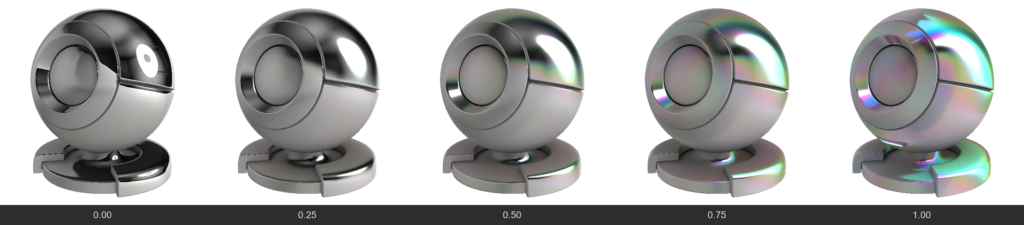
  • EffectNormal
    A color channel (vector direction) that defines the direction for stretching the anisotropic highlight and the direction for the iridescence gradient.
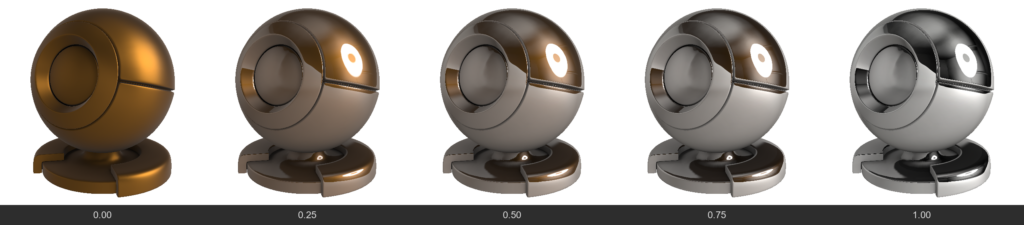
  • ClearCoat
    Creates an additional transparent glossy layer on top of the existing material (like car paint or varnished wood). This layer has its own reflection, independent of the base material.
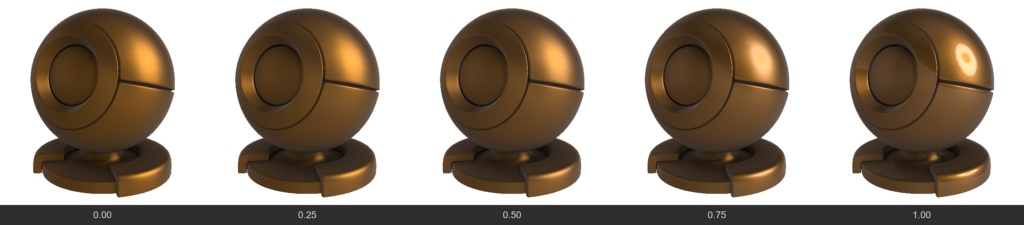
  • ClearCoatGloss
    Determines how smooth the clear coat layer is.
6. Fabrics, Micro-relief and Fuzz

These channels are designed to simulate materials with complex microstructures on the surface (fabrics, dust).

  • Velvet / Sheen
    Creates a soft highlight on the edges of an object. Characteristic of velvet, peach, suede. This is light reflecting from micro-fibers at grazing angles.
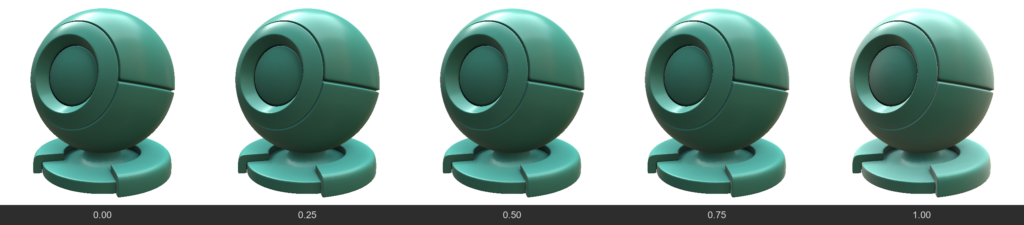
  • SheenColor
    Tints the fabric highlight a specific color.
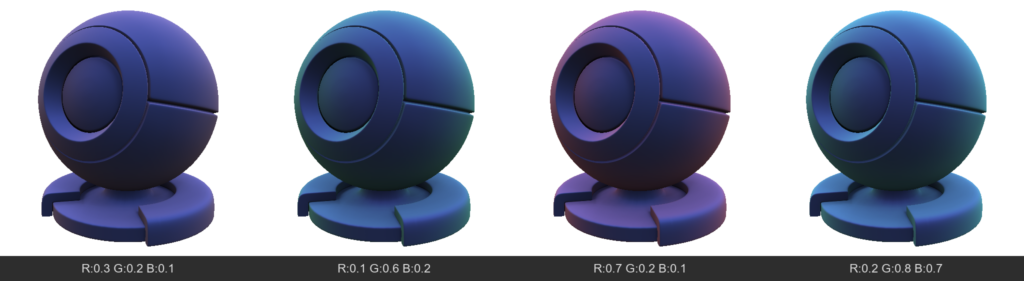
  • Microprotrusions (Fuzz / Dust)
    Simulates the presence of microscopic particles (or dust) on the surface that scatter light differently than the main surface. Can make the material “dusty”.
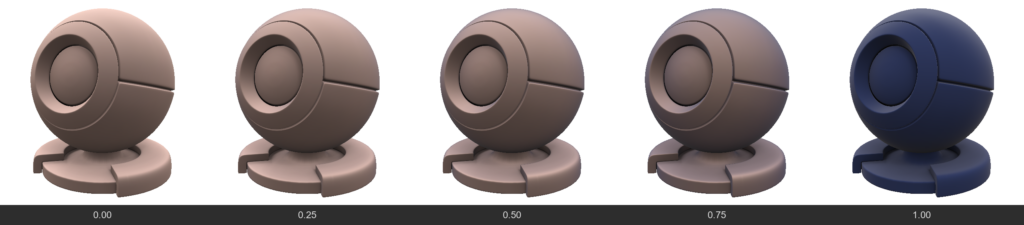
  • MicroprotrusionsGloss
    Controls how sharply these micro-fibers reflect light.
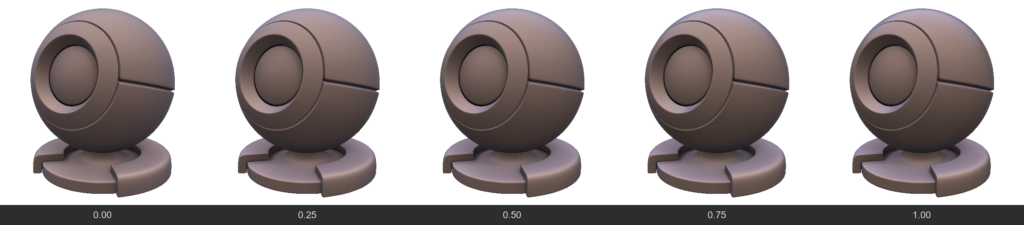
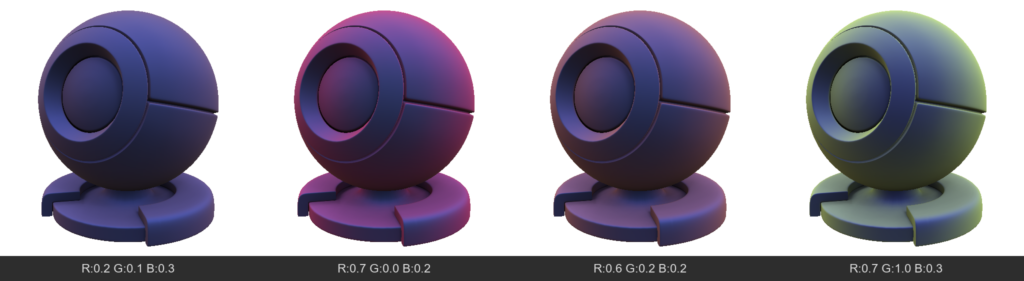
  • MicroprotrusionsColor
    The color of the dust or fuzz resting on the material.
Was this helpful?

Yes  No
Related Articles
  • GPU Texturing
  • Vector
  • Volumes
  • Modifiers
  • Materials
  • Masks
Previously
GPU Texturing
Up Next
Per-Pixel Painting
AI:
Hi! How can I help you?
Attention: This is a beta version of AI chat. Some answers may be wrong. See full version of AI chat